
Do you need a spare room to create a workspace that helps you focus? Not at all. A smart home office setup India workers can build starts with daily needs, available space, and a realistic budget—not a long shopping list.
Work-from-home equipment has been tested since 2020, with attention to comfort and the challenge of keeping work separate from personal life. A supportive desk and chair can help mark that boundary, even in a shared room. This guide, updated in June 2025, also covers light, screen position, cable control, and gear that can make each day easier.
Start with essential furniture, then add accessories as your needs grow. Options can range from about ₹17,000 to ₹2,50,000 or more, so you can choose a practical office setup without overspending. RentLappy brings more than 12 years of industry experience and serves 5,000+ customers across India. Its technology rentals support startups, corporates, freelancers, and educational institutions with accessible, affordable, and flexible choices for work and study.
Key Takeaways
- Build around your tasks, available space, and budget.
- A desk and chair can help create a clear work boundary.
- Good lighting, screen placement, and cable control add comfort.
- Begin with essentials and add useful accessories over time.
- RentLappy offers technology rentals for work and study needs.
Plan Your Home Office Setup India Around Your Workday and Budget
Start with the tasks you handle each day, not a long shopping list. This simple step helps you choose an affordable office setup that fits your routine.
List the tasks your workspace needs to support
Note whether you mainly use browser-based tools, type for long periods, join video calls, or need extra screens. These needs guide your choice of computer and furniture. A desk at least 120 cm wide and 60 cm deep gives you useful space for a laptop and daily essentials.
Set a budget before you buy or rent equipment
Plan for essentials first: a suitable desk, a supportive chair, and the computer your work requires. A clear budget can protect your comfort and your back without paying for features you may not use.
| Budget range | Typical spend | Best fit |
|---|---|---|
| Starter | ₹17,000–₹32,000 | Core items for basic tasks |
| Mid-range | ₹40,000–₹76,000 | More choice in gear and features |
| Premium | ₹93,000–₹2,50,000+ | Advanced needs; not essential for everyone |
If you work from home, freelance, or manage a team or school, match spending to actual needs. When buying is not the best fit, renting can offer flexibility. A temporary laptop rental may suit short projects or changing study and work needs.
Choose a Practical Spot in Your Home
A useful work corner can fit into daily life, even when every room already has a purpose. A spare room is not required; a clear corner in a bedroom or living room can support a simple work setup.
Make a Dedicated Work Zone in a Small Room
Choose an area that feels calm and has enough floor space for your desk and chair. A rug can mark the boundary, while a small lamp helps the corner feel distinct. These simple touches can make a compact workspace feel intentional.
Try facing a wall to limit visual distractions and create a plain background for calls. Place the desk near natural light, with the window to one side. This can brighten the work area while helping keep glare off your screen.
Before choosing a place, check the room’s daily flow. Make sure the spot will not block movement or leave cords across a walkway.
- Check foot traffic and available floor space.
- Look for a nearby outlet for your devices.
- Choose a corner that suits your routine.
Pick a Desk or Table That Fits Your Space
A well-sized work surface can make daily tasks feel easier and keep essentials within reach. Measure the available area before you shop, so your choice fits the room without blocking walkways.
Check surface area and height
Aim for a desk surface at least 120 cm wide and 60 cm deep. This gives a laptop or screen, keyboard, mouse, and notepad room to sit without crowding the top. For most Indian adults using a standard chair, a seated height of 72–76 cm is a useful guide.
Picture your usual workday before you choose. Check that the items you use most can fit side by side, with space left to write or move your mouse.
Consider a corner desk or fold-down table
A corner design can use an awkward nook, while a wall-mounted fold-down table frees floor space when work ends. Both options can suit smaller apartments and keep a compact setup practical.
For a local price reference, Nilkamal lists its Leo Computer Table at ₹3,190, reduced from ₹4,600. The Flexispot Adjustable Table With Wheels costs $80 and adjusts up to 40.5 inches. Compare size, height, and features before deciding what fits your budget.
Choose a Chair That Supports Your Body
A supportive chair can make long work sessions easier on your body. For a home office, prioritize fit and comfort over looks.
Look for lumbar support and adjustable features
Choose a seat height between 42 and 53 cm, so your feet can rest flat. Check that the lumbar support fits your lower back and keeps your back in a relaxed position. Adjustable armrests, ideally 4D, let you fine-tune the chair for your desk and body. Test the seat and controls when possible; a chair should suit you, not just the room.
Consider breathable mesh for warmer weather
A mesh backrest allows airflow during India’s hot months. Leather and leatherette may trap heat, which can reduce comfort through the day. Treat this as a priority purchase for a practical setup, and compare features before you buy.
| Chair model | Listed price | Notable feature |
|---|---|---|
| Nilkamal Mega High Back Office Chair | ₹8,490, reduced from ₹14,500 | Local price reference |
| Staples Dexley Mesh Task Chair | $170 | All-mesh design |
Set Your Laptop and Screen at a Comfortable Height
Good screen height can make a home office feel more comfortable. Raise the display until its top sits near eye level, then keep your neck and body relaxed. This simple change may help reduce eye strain during long work sessions.
Bring the display closer to eye level
A laptop stand lifts the screen while leaving room on the desk. A basic stand around ₹500 may be enough. For example, the Branch Adjustable Laptop Stand costs $65 and raises a screen by 7 inches. After lifting the laptop, place a separate keyboard and mouse at a comfortable height.
“Keep the screen near eye level, and let your shoulders rest.”
Add more display space when needed
If your work needs more area, an external monitor can help. The 27-inch BenQ GW2786TC offers 1080p resolution and lists for $250. Check device support before you buy: the 13-inch MacBook Air with M4 supports two external monitors. Compare ports and compatibility, too, so the display fits your workspace and budget.
- Keep the screen at a comfortable level.
- Match the stand and monitor to your needs.
- Check laptop support before purchasing.
Add a Keyboard and Mouse for Better Desk Ergonomics
Typing on a raised laptop feels easier when you use a separate keyboard and mouse. This keeps your hands lower while the screen stays near eye level. It also makes a compact home office more practical.
Place the keyboard on a steady desk surface, and keep the mouse within easy reach. Leave enough space to move it without stretching. This small change can make daily typing tasks feel more comfortable.
Before buying accessories, check the computer’s available ports. A USB-C hub can connect a keyboard and mouse, charging cables, and card readers. Choose one that supports your device’s charging needs.
The Plugable USB-C 9-in-1 Hub costs $50 and supports up to 140 watts of power delivery. For a lower-cost option, the Monoprice 5-in-1 USB-C Hub costs $31 and supports up to 100-watt pass-through charging. Both can help simplify your setup. Pick the keyboard and mouse, then hub, based on the ports and features you need.
| Hub | Price | Power delivery |
|---|---|---|
| Plugable USB-C 9-in-1 Hub | $50 | Up to 140 watts |
| Monoprice 5-in-1 USB-C Hub | $31 | Up to 100-watt pass-through charging |
Use Natural and Task Lighting to Reduce Eye Strain
Good light can make reading, typing, and video calls feel easier. For a comfortable home office, position your desk so natural light comes from the side, not directly behind or in front of the screen. This can reduce glare and help prevent eye strain.
Position your desk to make the most of natural light
Notice how sunlight moves across the room during the day. In Chennai, Hyderabad, and Pune, harsh afternoon sun can make a work area too bright. Sheer curtains soften natural light while keeping the space bright. Keep cords clear of the floor as you adjust your desk.
Place a desk lamp to avoid shadows on your work surface
A warm-white 4000K lamp gives focused light for reading and writing. Place it opposite your writing hand to keep shadows off the work surface. Aim the beam at your papers, not your eyes, and keep the screen at a comfortable level.
For power-cut backup, consider a rechargeable LED lamp. Syska and Philips offer options under ₹1,500. This simple setup adds useful light to your home, supports calls, and helps reduce eye strain without a major spend.
Manage Cables and Protect Your Equipment
Loose cords can crowd a small work area and catch on your feet. A little cable management keeps your home office neat and makes everyday tasks feel easier.
Bundle cords and keep them clear of your work area
Before you fix the desk in place, check that each cord can reach an outlet. This matters when the nearest socket sits to the side or across the room. Route wires away from your chair and walking path to reduce clutter in a compact apartment.
An under-desk tray is a simple first buy. Trays listed on Amazon India cost about ₹300–₹800. Add Velcro cable ties to group charging, monitor, and accessory cords into tidy bundles. This cable management step keeps wires easier to spot and move when needed.
Use a surge-protected power strip
Monsoon voltage changes can put computers and other gear at risk. Choose a power strip with surge protection to help guard your devices. Check its rating and the number of outlets before you buy, and keep the strip easy to reach.
Good cable management supports a safer, calmer setup at home. Keep cords bundled, check their reach, and leave the floor clear.
Arrange Your Workspace for Comfort Throughout the Day
Long stretches at a desk are common in India’s IT and startup culture. A home office setup feels better when your posture stays relaxed.
Align your screen, seat, and desk
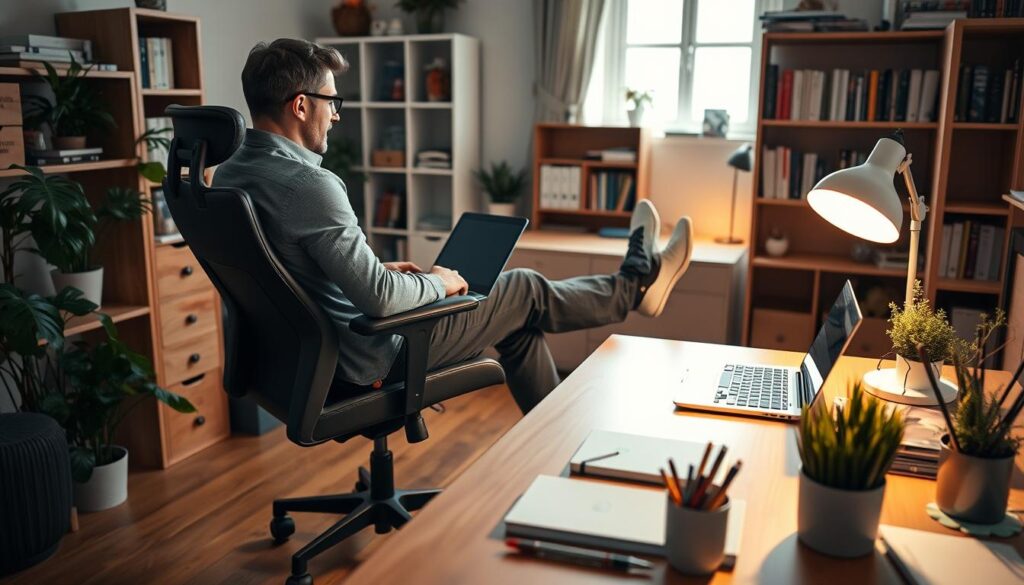
Keep the desk surface clear and adjust your position to suit your body. For most Indian adults using a standard chair, a desk height of 72–76 cm is a useful guide.
Set your chair so your feet rest flat and your lower back feels supported. Place the top of the screen at eye level to help your neck and eyes stay relaxed. Keep daily essentials close, so you do not twist or reach across the desk. Leave enough space for your seat, and move each cable out of your way.
Break up long periods of sitting
Even a well-planned workspace needs movement. At home, stand, stretch, or walk between work sessions instead of sitting through the whole day. A short pause can ease tension in your back and help restore comfort. Good light and simple posture checks can also make an office room more pleasant during a long day.
| Quick check | Suggested position | Why it helps |
|---|---|---|
| Desk height | 72–76 cm | Supports a relaxed seated posture |
| Screen top | Near eye level | Helps limit neck strain |
| Work rhythm | Move between sessions | Breaks up long sitting periods |
Choose the Right Laptop or Computer for Your Work
Match your computer to the tools you use, rather than paying for power you may not need. For a home office setup, consider how you work each day and whether you need to move between rooms.
Match device performance to everyday tasks
Browser-based tasks like email and online documents may run well on a Chromebook. The Lenovo Chromebook Plus 14 (2025), listed at $650, is one example. It may suit a desk where you mainly use web apps.
For more demanding tasks, consider the Asus Zenbook S 16 (2024). It pairs an AMD Ryzen AI 9 365 processor with Radeon 880M graphics and 24 GB of RAM. In testing, its battery lasted 14 hours off the charger, a useful feature when you move around. This laptop offers more capacity for varied work.
Prefer a fixed desk? The 2024 Apple iMac with M4 costs $1,193, while the Mac Mini with M4 costs $559. Before choosing a laptop or desktop, check display connections and the screen position. A laptop stand can raise the display to a comfortable height, while an external screen may add room for tasks.
| Device | Best fit | Listed price or detail |
|---|---|---|
| Lenovo Chromebook Plus 14 (2025) | Browser-based tasks | $650 |
| Asus Zenbook S 16 (2024) | More demanding mobile work | 24 GB RAM; 14-hour tested battery |
| Apple iMac with M4 (2024) | Fixed desk use | $1,193 |
| Apple Mac Mini with M4 (2024) | Compact desktop use | $559 |
Compare Renting and Buying for Your Home Office Setup
Buying can be a smart choice if you expect to use the same laptop for years. Renting may suit a short project, remote work, or changing needs. It can also help you avoid a large upfront cost while you decide what equipment works best.
Rent for temporary projects or changing needs
Match the device to your tasks. For browser-based work, the Lenovo Chromebook Plus 14 (2025) may provide the tools you need without extra features. RentLappy offers laptops, desktops, servers, and networking equipment to individuals and businesses across India.
With more than 12 years of experience in the IT and electronics sector, RentLappy aims to make technology accessible, affordable, and flexible. Its rental options can support startups, corporates, freelancers, and educational institutions. Whether you work from home for a day or need equipment for a longer project, compare rental terms with your needs.
Check what the rental includes
Before you commit, confirm the device type, rental period, and support options. Check that the equipment suits your tasks, fits your desk, and works with your other devices.
- Ask what support is available if a device has an issue.
- Confirm delivery, return, and replacement terms.
- Choose a plan that fits your schedule and budget.
Build a Home Office Setup in India That Fits Your Budget
A practical workspace does not need costly extras or a separate room. Set a clear spending limit, then choose items that support your daily tasks. The ₹17,000–₹32,000 range offers a functional starting point, while ₹40,000–₹76,000 is a useful mid-range target.
Prioritize a supportive chair, functional desk, and reliable laptop
Start with a chair that fits your body. Look for seat-height adjustability and lumbar support to help your back stay comfortable through the day. Next, choose a steady desk at a suitable height. A surface at least 120 cm wide by 60 cm deep can hold core gear without taking much space. Add a reliable laptop that can handle your work before considering optional purchases.
Add optional accessories as your needs change
Lighting, storage, and decor can come later. Add them as your routine or workspace changes, rather than buying everything at once. Premium plans can reach ₹93,000–₹2,50,000 or more, but many people do not need that spend.
- Keep essentials close and the surface clear.
- Upgrade only when a real need arises.
If buying a laptop is not practical, RentLappy offers flexible technology access for startups, corporates, freelancers, and educational institutions. This lets you choose a setup that fits your budget and changing needs.
Add Storage and Personal Touches Without Cluttering Your Desk
Good storage can keep a compact home office calm without taking up useful space. Choose a few practical pieces, then give each item a clear place. This simple setup leaves more room for daily work and helps you stay focused.
Use shelves or drawers to keep essentials close
In a small room, place a narrow bookshelf or two-door storage unit beside the desk. It can hold files, books, and spare equipment without spreading things across the work area. Wall-mounted shelves use vertical space and keep the main surface open.
A wheeled pedestal drawer can slide beneath the desk and provide lockable storage for documents. Choose a model that rolls out easily. Keep the desk’s top clear, with only a laptop, notepad, and pen holder on the table. These ones cover many daily tasks.
Choose storage that fits the items you use often, and check that drawers open without blocking your chair. Add just a few personal pieces, such as wall art or a small plant. Keep them clear of the light and work surface. Pair organized storage with cable management so gear and papers stay off the floor and do not crowd the room.
Prepare Your Workspace for Video Calls and Reliable Connectivity
A few quick checks can make your home office look and sound ready for calls. They also help your office setup feel more polished without adding much cost.
Choose a simple background and check your lighting
Face a plain wall to create a calm video background, even in a small room. Keep the desk clear and move loose items out of view. Place a lamp in front of you or slightly to the side. A ring light can help, too. Avoid light from behind, which can leave your face in shadow. Keep the screen near eye height, with its top close to your natural line of sight.
Test your internet connection and audio before calls
Before the work day begins, test your Wi-Fi and laptop camera, microphone, and speakers. Try headphones if nearby noise affects your sound. A short video test can reveal weak signals or low audio before a meeting starts. Keep each cable out of the calling area to maintain a neat view.
“A quick test before a meeting can prevent a last-minute scramble.”
- Check the camera view and sound.
- Test your connection where you plan to sit.
- Keep the background simple and bright.
| Check | Quick action | Benefit |
|---|---|---|
| Background | Face a plain wall | Clear, calm view |
| Lighting | Use front or side light | Brighter image |
| Connection | Test Wi-Fi and audio | Fewer call delays |
Explore Flexible Laptop Rentals from RentLappy
RentLappy can help you get the right technology without a large upfront purchase. Its mission is to make equipment more accessible, affordable, and flexible for startups, corporates, freelancers, and educational institutions. Whether you work from home or need gear for a team, choose rentals around your needs—not extra things.
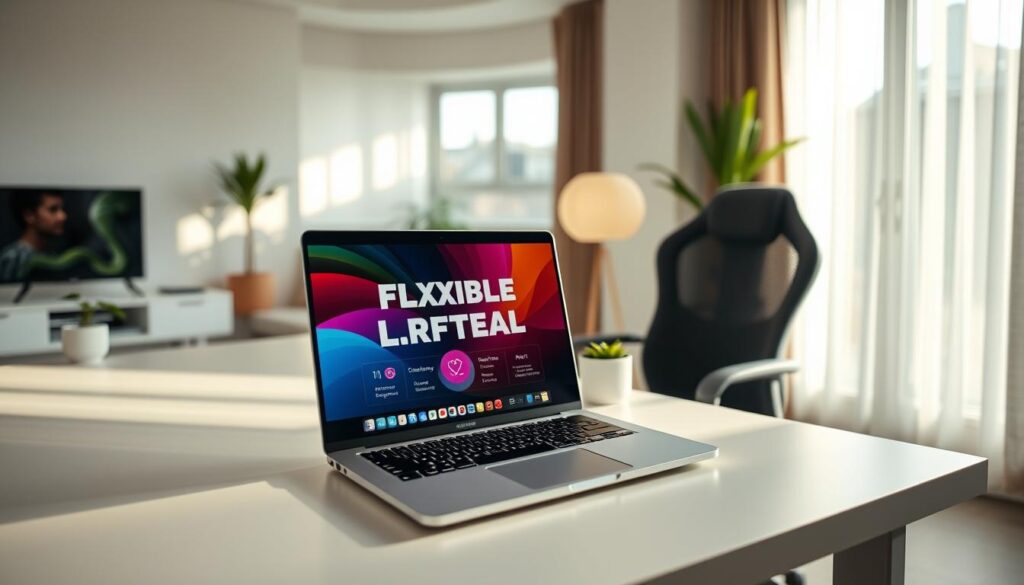
Rent technology for work, study, events, and training
RentLappy rents high-quality laptops, desktops, servers, and networking equipment tailored to business needs. This range can support a busy day of calls or a growing team. Clear terms help you plan costs up front. Renting may also leave more budget for a desk and chair in an affordable office setup.
Choose an experienced technology rental partner
Founded by IT and electronics professionals with more than 12 years of experience, RentLappy serves 5,000+ customers across metro cities and tier-2 and tier-3 towns in India. Its flexible options help with technology management for work-from-home needs and changing projects.
Contact RentLappy
For rental details, call +91-60003 70013 or email sales@rentlappy.com. You can also visit D-97, Okhla Phase 1, Okhla Industrial Estate, New Delhi – 110020. Ask the team which option best fits your plans.
Conclusion
A productive day can begin with a carefully planned corner at home; you do not need a separate room or costly furniture. Build your setup around a supportive chair, a practical desk, and a reliable computer. Add optional equipment only when your daily tasks call for it.
For lasting comfort, position the screen at a natural height, choose lighting that limits glare, and keep cables organized. These simple choices help your work area stay clear and may ease strain on your back.
If you need a laptop or other technology for a temporary project or course, renting offers flexibility without a large purchase. RentLappy provides accessible, affordable, and flexible technology rentals for work and study across India.
Explore your options: Call +91-60003 70013 or email sales@rentlappy.com. RentLappy is based in New Delhi. Choose what fits today, then adjust as your needs change.