

Does a short academic need really justify buying a new device, or could another option save money? The right choice depends on how long you’ll use it, what your studies require, and the full cost beyond the price tag.
This article weighs study needs, duration, total costs, and service details to help you decide whether to buy, rent, or consider renting a laptop. It also looks at practical factors, such as delivery reach and support, so you can compare options with confidence.
RentLappy aims to make technology more accessible, affordable, and flexible across India. Its services support startups, corporates, freelancers, and educational institutions that need devices for study or work. The available range can help match a setup to a short project or a longer-term plan.
Founded by industry professionals with more than 12 years of IT and electronics experience, RentLappy serves over 5,000 customers. Its reach spans metro cities as well as tier-2 and tier-3 towns. That experience offers useful context as you compare costs and service needs.
Key Takeaways
- Compare total costs, not just the purchase price.
- Let study needs and usage time guide your choice.
- Check delivery and support in your location.
- Choose a setup that fits your budget and daily tasks.
- RentLappy serves customers in metro and smaller cities.
When Does Laptop Rental for Students Make Financial Sense?
A device makes financial sense when its cost matches the time and tasks it supports. Short study periods can make access more practical than ownership, but compare the full price before you decide.
Short-Term Study Needs, Projects, and Remote Learning
During a semester project, remote-learning block, or research period, you may not need a device all year. I Rent Out Bangalore offers monthly and yearly rental plans that can align with different academic calendars. The provider lists online learning, research, and assignments among its study uses.
Managing a Tight Budget Without a Large Upfront Purchase
If you need a laptop but have limited savings, renting can avoid a large upfront purchase. Add each payment and fee, then compare that total with the purchase price. A short term may suit a defined need; a longer plan may cost more overall. Choose by task, budget, and time—not by the monthly rate alone.
This approach gives students flexibility when course demands change and keeps cash available to cover books, travel, or data costs. Check the device range, condition, deposit, delivery, and support before you sign. Then decide whether you will use it often enough after classes end or during later work.
Compare Renting a Laptop With Buying One
Buying can use up savings at the start, while a rental can spread costs across the months you need a device. To find the better option, compare the full cost across the same period. Include fees and ownership costs, not just the monthly rate.
Count the Costs Across Your Study Period
Equipp.in lists a Dell Latitude (2015), with a 6th-generation Intel Core i5 and Windows 10 Pro, at ₹1,778 per month on a 12-month plan. Its one-month rate is ₹1,900. A Mac Pro (2015), with a 4th-generation Intel Core i7 and macOS Monterey, is listed at ₹3,129 monthly on a 12-month plan, or ₹3,900 for one month. These examples show how device choice and term affect price.

- Compare the cash needed to buy with rental payments over the same time.
- I Rent Out Bangalore notes that renting avoids a large upfront purchase, maintenance costs, and depreciation.
- Check the full terms, then weigh the range against your needs.
A laptop rental may offer flexible access, but the best option depends on how long you will use it. Consider whether keeping the device after your studies has value. Compare the total before you decide to rent.
Choose a Laptop That Fits Your Studies
Start with the apps and tasks your course requires: live classes, research, assignments, and everyday browsing. This quick check can narrow the choice before you compare models.
Match daily tasks to device options
Rental Plaza Dehradun describes everyday laptops alongside gaming, video-editing, and graphic-design devices. This wide range reflects different study and personal needs. Check each listing to see which features match your plans.
Check performance needs for demanding tasks
Coding, design work, or gaming may call for more power. Check the processor, memory, graphics, and software requirements. A listing might say “8th gen,” but verify that detail in the actual specifications.
Equipp.in lists a Mac Pro (2015) with a 4th-generation Intel Core i7 and macOS Monterey. Treat these as stated specifications, not a promise of performance. Before you rent, compare the device’s range of features with your intended use. Choose based on your real tasks, not a product label alone.
| Study task | Details to check | Useful starting point |
|---|---|---|
| Classes and browsing | Required apps and memory | Everyday models |
| Research and assignments | Processor and storage | Course software needs |
| Design, coding, or gaming | Graphics and software support | Exact listed specifications |
Match the Rental Duration to Your Academic Schedule
Your academic calendar can guide the decision better than a price tag. Match access to a semester, training course, or project so you do not keep a study laptop beyond its useful dates.
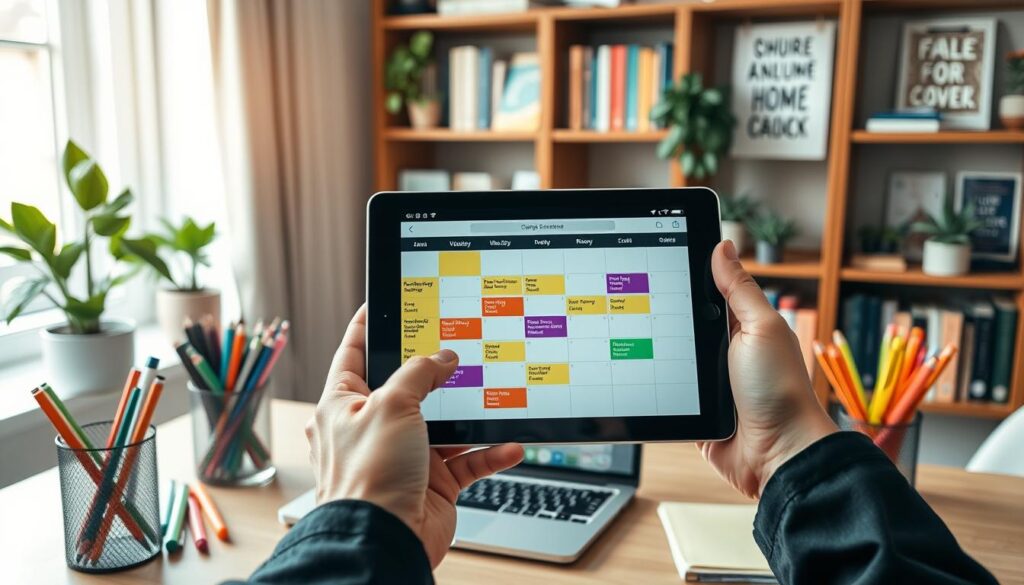
Mark class dates, exams, project deadlines, and the end of remote learning. Delivery matters too: your month-by-month timeline depends on when the device arrives and when coursework ends. Set those dates before you rent.
Compare actual rental options, not assumptions. I Rent Out Bangalore advertises monthly and yearly plans. Rental Plaza Dehradun lists day, week, month, or longer durations. This range shows that availability can vary.
- Check whether providers offer flexible extensions or early returns; policies may differ.
- Compare total charges with your full schedule. Renting only for the time you need can preserve flexibility.
Confirm that the selected laptops suit your course needs, and ask about the exact start and return dates. A short extension may help if a project runs late, but get approval first. A clear timeline makes choosing easier.
| Provider | Stated duration | What to confirm |
|---|---|---|
| I Rent Out Bangalore | Monthly and yearly plans | Start date and total cost |
| Rental Plaza Dehradun | Day, week, month, or longer | Extension and early-return terms |
Understand Rental Plans, Terms, and Support
A low monthly rate may hide costs that affect your budget. Read each plan closely, then ask the provider to explain any unclear detail. Contact RentLappy through its official channels to ask about current plans.
Review the price, duration, and conditions
Check the monthly price, minimum term, deposit, extra charges, and return rules before you agree. Ask whether the price changes after the first month. I Rent Out Bangalore advertises monthly and yearly plans. Confirm coverage and delivery timing at your address.
Check delivery, support, and device care
Rental Plaza Dehradun says its laptops are inspected and cleaned. It also says staff can help with technical issues during the term. Verify support hours, contact methods, and the care process. Equipp.in asks customers to check eligibility on WhatsApp; WhatsApp and email are unavailable on weekends.
Ask whether “8th gen” specifications, accessories, replacement steps, and damage rules appear in writing. Clear terms make it easier to compare options and choose the right service.
| Provider | Stated details | Confirm before you agree |
|---|---|---|
| I Rent Out Bangalore | Monthly or yearly plans; fast delivery | Address coverage and arrival date |
| Rental Plaza Dehradun | Inspected, cleaned devices; technical help | Support hours and care rules |
| Equipp.in | Eligibility checks through WhatsApp | Weekend contact availability |
Student Situations Where Renting Can Be a Practical Choice
A semester course, short training program, or defined project may mean you need laptop access without year-round ownership. Compare the full cost with buying, based on the time you expect to use it.
“Match device access to the task and its timeline.”
Get a device for a course, program, or project
I Rent Out Bangalore lists studies, temporary projects, and remote work among its use cases. These may suit short assignments or online learning. Its rental options can help you explore access without a large upfront purchase, though current terms need confirmation.
Rental Plaza Dehradun describes laptops for academic tasks and business presentations. These examples show how needs can change by situation. The provider lists day, week, and month periods, so check which term fits your schedule.

Before you rent, note your start date, end date, required software, and hardware needs. Personal use or gaming may call for different features than coursework or work presentations. That check can help you choose with confidence.
- Compare total costs with buying.
- Ask about extensions and return terms.
- Choose the term that matches your timeline and flexibility needs.
Explore RentLappy’s Laptop Rental Service for Students in India
RentLappy is a technology company with a mission to make access to technology more accessible, affordable, and flexible. Its service supports businesses and education groups across India. Students can contact the team to check current options, availability, and delivery to their location.
Choose equipment that fits your needs
The company offers a wide range of equipment, including laptops, desktops, servers, and networking equipment. Its laptops may suit study, work, or gaming needs, but check current models and specifications before choosing. Ask about a flexible rental, product condition, and charges. Confirm availability rather than assume a particular model or price.
Learn about its experience and reach
RentLappy serves startups, corporates, freelancers, and educational institutions. Its founders bring over 12 years of IT and electronics experience, and the company reports serving more than 5,000 customers. Its service reaches metro cities and tier-2 and tier-3 towns. This range may help you explore access beyond major cities.
To ask about current options, contact RentLappy at +91-60003 70013 or sales@rentlappy.com. Its address is D-97, Okhla Phase 1, Okhla Industrial Estate, New Delhi – 110020. Ask about your requirements and whether delivery is available at your address.
How to Choose and Arrange a Student Laptop Rental
A short checklist can make booking easier and help avoid delays. Share your study plans and dates so the RentLappy team can suggest suitable choices.

Share your study requirements and timeline
Before you contact the team, note the apps you use, preferred device range, delivery location, and expected start and end dates. Mention if you need access for one week or longer. This helps match convenience with flexibility.
- Ask about current laptop availability, rental options, total charges, delivery, support, and required documents.
- Share your needs and ask any questions about the service before you decide to rent.
Call +91-60003 70013 or email sales@rentlappy.com today to discuss laptop rental details. RentLappy’s address is D-97, Okhla Phase 1, Okhla Industrial Estate, New Delhi – 110020.
Confirm response hours and booking steps directly. Equipp.in states that its WhatsApp and email service is unavailable on Saturdays and Sundays; check each provider’s current contact schedule.
What to Check Before You Rent a Laptop
Before renting a laptop, match its details to your coursework, personal use, or gaming needs. A model name or “8th gen” label alone cannot show whether it will run your apps. Check the processor, memory, storage, operating system, accessories, and condition. This review can make your choice easier.
- Get the full price, minimum term, deposit, extension rules, late fees, and damage terms in writing.
- Confirm delivery, collection, setup, and technical help at your address.
- Ask how the provider checks and maintains its equipment. Rental Plaza Dehradun says it inspects and cleans each device, with technical assistance during the term.
- Compare the quote with your planned use. Equipp.in lists a 2015 Dell Latitude with a 6th-generation Intel Core i5 and Windows 10 Pro at ₹1,778 monthly on a 12-month plan, or ₹1,900 for one month.
Clear answers to your questions reveal the service range, product fit, and convenience. Then decide whether renting is a sensible option.
| Check | What to confirm | Why it matters |
|---|---|---|
| Device | Specs, accessories, and condition | Matches your apps and needs |
| Service | Costs, delivery, support, and care | Clarifies the full commitment |
Conclusion
Renting can make financial sense when an academic need lasts a short time and the full cost compares well with buying. Compare the term, device specs, upfront spending, maintenance, delivery, and support before you choose.
RentLappy aims to make technology accessible, affordable, and flexible. The company reports serving more than 5,000 customers across metro cities and tier-2 and tier-3 towns.
Confirm current availability, pricing, and terms directly with RentLappy; do not assume a particular plan is offered. If you are a student exploring laptop rental options, contact RentLappy today at +91-60003 70013 or sales@rentlappy.com. Discuss your study needs, ask about suitable laptops, and check whether you can rent a device that fits your plans.