

Could buying a device for one exam or online course be more than you need? A short term laptop rental can help learners get ready without a long commitment. RentLappy serves students and other customers across India, offering a flexible way to access the technology they need.
Founded by IT and electronics professionals with more than 12 years of experience, RentLappy brings practical knowledge to its technology services. The company reports serving over 5,000 customers in metro cities and tier-2 and tier-3 towns. Its mission is to make technology accessible, affordable, and flexible for learners who may not want to buy a device for temporary study needs.
Use this guide to choose a suitable device, plan your rental period, understand the cost, and contact RentLappy today. Whether you are renting for a certification test or online classes, you can explore options that fit your schedule.
Key Takeaways
- Flexible rentals can support exam and course deadlines.
- RentLappy draws on 12-plus years of industry experience.
- The company reports serving more than 5,000 customers across India.
- Compare your study needs and planned use before you rent.
- Contact RentLappy to discuss availability and next steps.
Short term laptop rental for learners across India
Learning plans can change quickly, from exam preparation to online classes or remote work. RentLappy helps people access technology without a long commitment. The company reports serving more than 5,000 customers in metro cities and tier-2 and tier-3 towns across India.
Get a device for exams, study sessions, and course deadlines
Use a device for online lessons, research, assignments, or a certification test. A temporary setup can suit a clear study schedule, while also helping with work needs. Share your course tasks and software needs when you ask about options.
“A device should fit the course calendar, not the other way around.”
Choose a rental period that fits your learning schedule
Before you rent, note key deadlines and how long you expect to use the device. RentLappy serves customers in many parts of India, but confirm availability, delivery timing, coverage, and support for your location. Other providers list cities such as Bangalore and Pune; local options may vary.
Use this checklist when contacting RentLappy:
- List study tasks and course dates.
- State your expected use period and preferred setup.
- Ask which plans and services are available in your area.
| Plan ahead | What to share | What to confirm |
|---|---|---|
| Course schedule | Exam and class dates | Available plans |
| Study tasks | Research and assignments | Device options |
| Location | City or town | Delivery and support |
Why rent a laptop instead of buying one
Buying a device for every learning goal may not make sense. Compare the upfront purchase cost with paying only for the period you need access. A laptop rental may suit one course or exam schedule, but check the available period and services first.
Avoid a large upfront purchase cost
Paying the full price at once can strain a learner’s budget. When renting, weigh ownership costs against fees for the time you expect to use the device. Include delivery, support, software, and other services in your review.
Choose access for temporary learning needs
Flexible access may fit a course deadline or project, while ownership may suit regular, ongoing needs. I Rent Out Bangalore describes monthly and yearly plans for study and projects. RentLappy’s current options may differ, so confirm details directly.
“Choose the option that fits your learning plan, not one that asks you to pay for more than you need.”
RentLappy aims to make technology more affordable and flexible for learners and other customers across India. Compare duration, total cost, and included services with your study or business needs. Some learners need capable laptops; others may need basic access. Check available laptops against your tasks before you decide.
Choose from laptops and other IT equipment
Study needs can call for more than one kind of device. RentLappy offers a range of laptops, desktops, servers, and networking equipment through its rental service. Customers can ask about options suited to learning or wider team needs.

Compare devices for everyday study and demanding software
For classes, research, and assignments, ask which laptop category fits your daily use. If your course needs demanding software, share its requirements and ask about memory, storage, and configuration. Confirm availability before choosing; specific models are not guaranteed.
Other providers list choices such as MacBook Pro, MacBook Air, Lenovo, Dell, and HP. These names offer a view of the wider market, not a promise of RentLappy stock or its latest models.
Ask about equipment for wider needs
Teams can also ask about equipment for an office, training events, business needs, or temporary projects. Explain the task, quantity, and setup you need to help the team suggest suitable services.
- Confirm device availability and configuration.
- Check software needs before you rent.
- Ask which rentals fit your schedule and location.
A clear request helps you compare choices with confidence.
Match laptop specifications to your course requirements
Before you choose a device, check the course instructions. Confirm the operating system, processor, memory, storage, and screen size the course requires. This helps you request a setup that can handle your lessons and assignments.
Laptop Store India lists Intel i3, i5, i7, and i9 chips, plus Apple M1, M2, and M3 processors. Its range also includes 8GB, 16GB, or 32GB of RAM, with SSD storage from 256GB to 1TB. Display examples span 12.5 to 15.6 inches, with Windows 10/11 or macOS.
These examples show the options learners may find, not confirmed RentLappy stock. Separate listings describe a 2015 Dell Latitude with a 6th-generation Intel Core i5 and Windows 10 Pro, and a 2015 Mac Pro with a 4th-generation Intel Core i7 and macOS Monterey. A macbook pro or other high-performance laptops may suit demanding tasks, but the best laptops depend on your course needs.
Ask RentLappy which available configuration and software fit your course. Share what you plan to use, then compare the device, rental, and service details before you rent. Renting works best when the setup matches your actual study tasks.
Prepare a laptop for exams and online assessments
A smooth exam day starts with a setup that works before the countdown begins. Check the exam provider’s system requirements, then confirm that your device and internet connection meet them.
Check platform and software compatibility
Compare the required operating system with the available options. Laptop Store India lists Windows 10/11 and macOS, along with preinstalled software and hardware configurations. Ask RentLappy in advance whether it can install or configure the software you need. Confirm the setup and available support for your rental period; do not assume the exam platform has certified a device.
Test your setup before exam day
Run a practice login well before your assessment. This gives you time to spot access or compatibility issues without last-minute pressure.
- Check the device, internet, camera, and microphone.
- Test the charger and any required accessories.
- Ask about setup, support, and available services before you rent.
“A practice login can reveal small issues while there is still time to fix them.”
Need a laptop for an assessment? Share the exam requirements when you ask about options.
| What to check | How to prepare | When to confirm |
|---|---|---|
| Operating system | Match it to exam rules | Before arranging the rental |
| Software and access | Ask about installation and test login | Well before exam day |
| Internet and accessories | Test camera, microphone, charger, and connection | During your practice session |
Find the right setup for certifications and technical training
Certification and tech training can call for different setups. Before you request a laptop, check your course’s operating system, hardware, and software needs. A coding class may require one configuration, while a design course may call for another.
Laptop Store India lists Intel i3, i5, i7, and i9 processors, along with Apple M1, M2, and M3 options. These examples show why course specifications matter. A MacBook Pro may suit one program, while high-performance laptops may handle heavier tasks. The best laptops are those that match your course, not simply the most powerful models.
RentLappy offers laptop devices, desktops, servers, and networking equipment for rental. This range may support training projects, business events, or an office-based class. Share whether you need a specific device type or demanding software, and explain the work you plan to do. Ask which setup you can rent, then confirm availability and conditions with RentLappy before you decide.
Set up a laptop for online courses and remote learning
Online learning feels easier when your device suits your course and daily routine. A little planning can also help remote users stay ready for class or work.
Check your course’s technical requirements before choosing a setup. I Rent Out Bangalore lists online learning, research, assignments, and remote work among common reasons people seek laptops. Think about the lessons and tasks you have each week.
Laptop Store India lists options with 8GB, 16GB, or 32GB of RAM, SSD storage, and Windows 10/11 or macOS. Your workload and required apps can guide the right configuration. Ask for enough capacity to handle your course software without paying for features you will not use.
Choose a setup for classes and assignments
Before your first live lesson, test the camera, microphone, speakers, and internet connection. This quick check can prevent avoidable problems during class.
- Match the configuration to course requirements.
- Check audio, video, and internet access.
- Ask RentLappy about available laptops and any software setup.
Tell RentLappy whether you need a device for lessons, research, or assignments. Confirm the available rental option, then review the setup before you rent.
Explore flexible rental plans and durations
Course dates can shift, so choose a schedule that covers your exam, classes, and expected study time. A longer period may suit a full course, while a focused study block may need less. Ask RentLappy which plans fit your dates before you decide.
Ask about options for study schedules
Published examples vary: I Rent Out Bangalore describes monthly and yearly plans, while Laptop Store India lists daily, weekly, and monthly choices. A separate listing shows monthly and yearly prices for a 2015 Dell Latitude and a 2015 Mac Pro. These examples do not confirm RentLappy’s current availability.
Review delivery, returns, and extensions
Before arranging delivery, ask about return steps, possible extensions, and available support. Business requests or events may have different needs from one learner’s course schedule. Review the total cost and agreed dates in writing.
- Match dates to exams and classes.
- Confirm the device and plan.
- Keep the written terms for reference.
| Example or request | Period described | What to confirm |
|---|---|---|
| I Rent Out Bangalore | Monthly or yearly | Current availability |
| Laptop Store India | Daily, weekly, or monthly | Current availability |
| RentLappy inquiry | Discuss your course dates | Dates, returns, and total cost |
Plan your laptop rental cost around your needs
Set your budget by matching the device to your course. Compare laptops by configuration, rental plans, delivery details, and added services. A learner may need a basic setup, while business use, an office setup, or temporary projects may call for more. Include the full cost and expected time in your estimate. Renting only for the period you plan to use can help control spending. Other providers also advertise rentals, but rates and services vary. Ask which laptop configuration meets your course requirements.

Laptop Store India advertises a starting rate of ₹90 per day for device access. This is not a RentLappy quote. Separate listings show these examples:
| Device and source | Listed rate | Period |
|---|---|---|
| Dell Latitude (2015), separate listing | ₹1,778 per month or ₹1,900 | Year or one month |
| Mac Pro (2015), separate listing | ₹3,129 per month or ₹3,900 | Year or one month |
| Laptop Store India | Starting at ₹90 per day | Advertised starting rate |
Rates from other providers do not show what RentLappy charges. Ask RentLappy for a current quote based on your course dates, device requirements, and intended use period. Compare available laptops with your chosen plan, then confirm all charges and services before you rent.
Arrange delivery for your location in India
Getting a device to the right place matters when an exam date is close. RentLappy reports serving metro cities and tier-2 and tier-3 towns across India. However, availability and delivery times can vary by location, so check your address before making plans.
Confirm availability and delivery details for your city or town
RentLappy’s listed location is D-97, Okhla Phase 1, Okhla Industrial Estate, New Delhi – 110020. Other providers list Bangalore, Chennai, Hyderabad, Mumbai, Pune, and Kolkata; these cities do not confirm RentLappy coverage. Ask the team whether its rental services reach your area and what support and return steps apply.
Before you rely on a device for an exam, confirm serviceability, delivery timelines, and any local arrangements. If you plan to laptop rent, ask about the full process and keep the agreed dates handy. This helps you prepare with fewer last-minute surprises.
- Share your city, town, and delivery address.
- Confirm available laptops and delivery dates.
- Ask about support, returns, and location-specific services.
| What to confirm | Why it matters | Ask RentLappy |
|---|---|---|
| Area coverage | Availability can vary by location | Can you serve my address? |
| Delivery schedule | Exam dates need reliable planning | When can the device arrive? |
| Returns and support | Local steps may differ | What applies in my area? |
Request software and device configurations for your course
Course software can shape which device will work for your classes. Before you confirm a laptop, send RentLappy the course’s app list, operating system rules, and hardware needs.
Your instructor may require Windows 10/11 or macOS. Follow the course’s exact instructions, since these systems are examples, not a promise of availability. Laptop Store India lists preinstalled software and hardware configurations among its rental options. This makes it useful to ask RentLappy what it can prepare for your order.
- Share the required apps and course software.
- List the operating system and hardware specifications.
- Ask whether licenses, installation timing, or setup charges apply.
- Confirm which configuration is available and when it can be ready.
Do not assume software licenses or setup fees are included. Confirm these details directly before you rent. Ask whether the selected laptops can arrive with the needed programs installed.
“Test every required app before your first class, training session, or online assessment.”
Open each program after setup and check your sign-in access. This simple step can help you avoid delays and make better use of study time. Clear details help the team suggest a setup that fits your course.
Understand the steps to rent a laptop from RentLappy
A clear request helps you compare available options and plan around your assessment date. RentLappy’s founders bring over 12 years of experience in the IT and electronics industries.
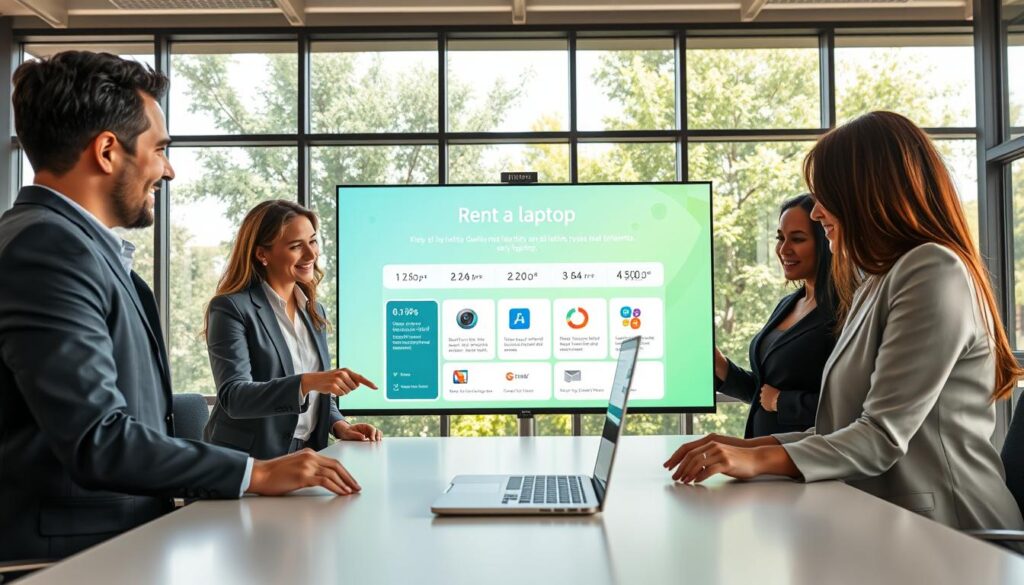
Share your course and device preferences
Tell the team what you will study, which device type you prefer, and what software your course requires. Include your expected use period, assessment date, and delivery location. If you need laptops for business or events, explain the quantity and setup as well.
- List your course tasks and required programs.
- Describe your preferred device and planned dates.
- Ask which options and rental plans are currently available.
Confirm the plan and delivery details
Before renting, confirm the chosen device, applicable plan, delivery arrangements, and any return or extension terms. Ask what services and support are included. These details can help you avoid surprises and make a more informed choice.
“Share the key dates and location first, so the team can discuss suitable arrangements.”
For current availability or the laptop rental service, contact RentLappy today at +91-60003 70013 or sales@rentlappy.com. Ask about the process and confirm all agreed details directly with the company.
Get support during your laptop rental
Ask RentLappy how to report a device issue and what support it provides during your rental period. Clear contact steps can help you act quickly if a problem affects a class or exam.
Laptop Store India describes maintenance and servicing as part of its offer. That does not set RentLappy’s terms. Confirm its rental service details and available services directly before you decide.
- Save the approved contact method and ask about troubleshooting or replacement steps.
- Test the device well before your course or assessment, so you can raise questions early.
- For an active rental, contact RentLappy at +91-60003 70013 or sales@rentlappy.com.
Knowing what to do before an issue arises can bring peace of mind. Keep any agreed arrangements in writing, especially when an exam deadline is near.
| What to confirm | Why it helps | Next step |
|---|---|---|
| Issue reporting | Shows how to reach the team | Save the contact method |
| Troubleshooting or replacement | Sets clear expectations | Record agreed steps |
| Device readiness | Leaves time to address concerns | Test it early |
Choose RentLappy for flexible technology rentals
Finding a reliable technology partner can make study, work, or event planning easier. RentLappy supports varied needs with equipment options and flexible access across India.
Benefit from experienced technology professionals
RentLappy was founded by IT and electronics professionals with more than 12 years of industry experience. That background gives learners and organizations a knowledgeable team to contact when comparing options. Ask about its laptop rentals, setup details, and available support before you decide.
“Accessible technology can help more people focus on learning, building, and getting work done.”
Explore options for different locations and needs
The company reports serving more than 5,000 customers in metro cities and tier-two and tier-three towns across India. Its range includes laptops, desktops, servers, and networking equipment.
- Startups, corporates, freelancers, and educational institutions can ask about suitable services.
- Options may support an office, business events, study, or remote work.
- Ask about current devices, software setup, service terms, and delivery to your location.
RentLappy’s mission is to make technology accessible, affordable, and flexible. Confirm availability directly, since specific configurations and latest models may vary.
Contact RentLappy in Okhla, New Delhi
Have questions about a device for your course? Contact RentLappy to discuss available options and next steps. The New Delhi-based company can answer questions about its rental services and help you understand what to confirm before proceeding.
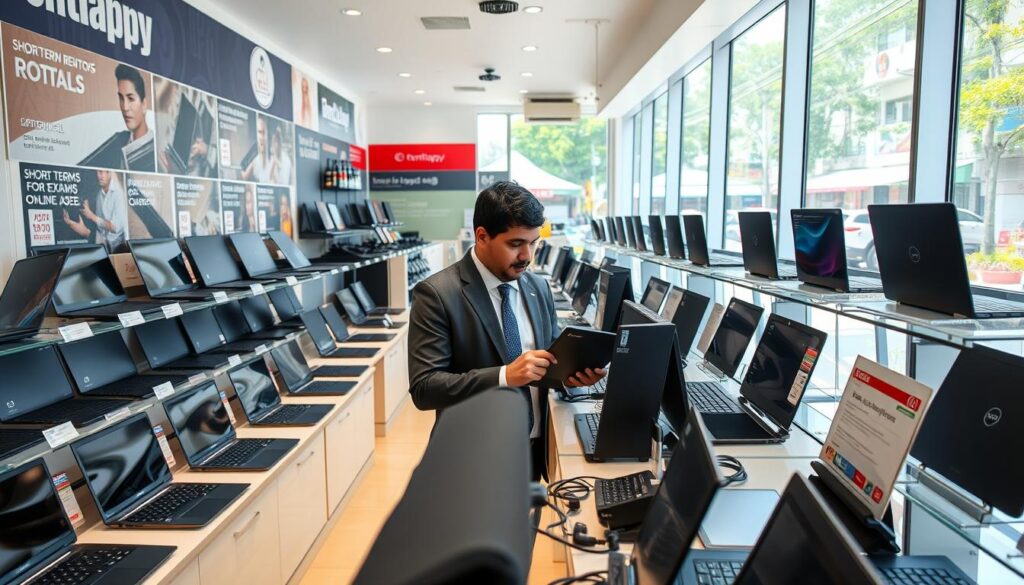
Visit the Okhla office
Address: D-97, Okhla Phase 1, Okhla Industrial Estate, New Delhi – 110020.
Please confirm visiting arrangements and service details directly before traveling to the office. Availability and delivery options may depend on your location and requirements.
Call or email the team
Call +91-60003 70013 to ask about current device availability, arrangements, or delivery questions. You can also email sales@rentlappy.com with course-specific questions about a laptop or its configuration.
When you contact the team, share your city, the device you need, and your expected use period. This helps RentLappy discuss relevant options for your study plans.
- Call for availability and arrangement questions.
- Email course and configuration details.
- Confirm costs, service terms, and local delivery before you proceed.
“Share your requirements clearly to help the team guide your next step.”
Conclusion
Prepare for exams, certifications, and online courses with a laptop rental instead of buying a device for limited use. It can help you focus on your studies without a long commitment.
Match the device’s software and specifications to your course, then test it before an important assessment. Ask RentLappy to confirm current rental periods, delivery, support, and pricing before you rent.
Founded by IT and electronics professionals with more than 12 years of experience, RentLappy focuses on flexible technology access. The company reports serving over 5,000 customers across metro cities and tier-2 and tier-3 locations in India. Contact RentLappy to discuss available laptops and find an option that fits your learning or business needs.