
Did you know that poor tech can drain over 100 hours of work each year from a single team member? This massive loss occurs when a subpar laptop fails to keep up with demanding daily tasks. We know that picking the right business gear is vital for growth in India’s fast-paced corporate market.
Our Guide to Best Laptop Specifications for Office Employees simplifies the technical selection process for you. We focus on high performance to ensure every laptop handles multitasking without any annoying lag.
Whether you need laptops for data entry or creative design, we provide total clarity. A reliable business laptop boosts productivity and keeps your staff happy throughout the day. We also look at how laptops fit into your business budget, including rental plans from RentLappy.
Finding the right business laptop means looking at the performance of each internal part carefully. We want your team to have tools that never slow them down. Using the right laptop ensures your laptops serve you well for years. We also explore why laptops are better for modern mobile teams.
Key Takeaways
- Prioritize fast processors and high RAM to boost daily efficiency.
- Balance hardware costs with durability for long-term value.
- Choose lightweight designs for employees who work remotely.
- Explore rental options to reduce initial investment costs.
- Match specific technical specs to individual job roles.
- Ensure battery life supports a full day of office tasks.
What Makes a Laptop Ideal for Office Work
When we look for the best laptops for our team, we focus on how they handle the actual demands of a busy work day. We know that office work demands reliability above all else, which is why we focus on machines that won’t let you down during tight deadlines.
A high-quality business laptop should manage everyday tasks like web browsing and document creation with total ease. We want a device that boosts overall productivity instead of slowing us down with constant lag or technical errors.
An ideal choice handles multiple browser tabs, office applications, and video calls simultaneously without any issues. This level of performance ensures that we stay focused on our professional goals throughout the morning and afternoon.
We have found that the best laptops balance lightweight portability with high-end power for the modern worker. This balance allows employees in India to work comfortably at their desks or while traveling to various client meetings.
| Factor | Our Priority | Business Impact |
|---|---|---|
| Battery Life | 8+ Hours | Uninterrupted workflow |
| Build Quality | Durable Chassis | Lower repair costs |
| Security | Biometric login | Data protection |
Modern security features protect our sensitive company data from unauthorized access or potential digital breaches. We also emphasize durability because office devices face significant wear and tear every single week.
A sturdy build helps the device withstand being carried in bags and many hours of heavy use by the staff. We believe that choosing laptops with comfortable ergonomics, like responsive keyboards, reduces eye strain and physical fatigue.
“The right tools do not just complete the work; they empower the person doing it to reach their full potential.”
Choosing the right hardware features helps future-proof your investment for at least three to five years. Smart specifications ensure your business laptop remains a valuable tool for your growing productivity and complex tasks.
This reliable performance makes solid sense for any company looking to maintain a competitive edge in today’s fast-paced market. Strong hardware choices today lead to better results for us and our clients tomorrow.
Assessing Your Business Computing Needs
Before you invest in any new technology, we recommend taking a close look at how your team operates daily. Selecting the right hardware is not a “one size fits all” process for your business. We suggest starting by evaluating the specific needs of each department to ensure everyone has the right tools.
We always encourage businesses to think about scalability over the next few years. Your current choices should support future growth and team expansion. This proactive approach prevents the need for costly hardware replacements just a year down the road.
Understanding these requirements helps us select the most appropriate hardware for your business. We must consider if staff stay in the office or travel for client meetings frequently. Proper assessment ensures that every rupee spent contributes directly to your team’s productivity.
Analyzing Employee Work Profiles
We recommend creating profiles that categorize your team by their daily tasks. Different job roles have vastly different business computing requirements that dictate overall performance. We will help you identify whether your team needs basic machines or powerful workstations.
An administrative assistant might only require basic apps for document management and emails. However, a graphic designer needs a powerful laptop to run specialized software like video editing suites or 3D rendering tools. Identifying these roles early prevents bottlenecks in your creative or technical workflows.
“Efficiency is doing things right; effectiveness is doing the right things.”
Determining Mobility Requirements
Mobility is essential for employees who frequently travel or attend off-site meetings. These staff members require a lightweight laptop that weighs under 1.5 kg for easier commuting. Portability should never come at the expense of durability, especially for field teams.
We recommend choosing smaller screens, typically between 12 to 13.3 inches, for better portability. This setup ensures your team stays productive while they work on the go. High-capacity batteries are also a must-have for those who spend their days away from a power outlet.
Setting Your Laptop Budget
Planning a budget requires more than just looking at the initial purchase price. We must consider long-term costs like maintenance and necessary upgrades for your business. A well-planned financial strategy includes the total cost of ownership over three to five years.
Avoid the mistake of underspending, as cheap hardware often leads to frequent repairs and frustration. On the other hand, do not waste your budget on high-end features your team won’t use. Finding the “sweet spot” in pricing ensures the best return on your investment.
For startups in India with a tight budget, rental services like RentLappy offer great flexibility. This allows you to scale up without a heavy upfront investment for a high-performance work machine. It is an excellent way to access premium hardware while keeping your cash flow healthy.
Before purchasing any laptop, you must assess your specific requirements. We believe that understanding these needs is the secret to a successful laptop rollout for your entire organization.
| User Category | Mobility Needs | Primary Focus | Recommended Specs |
|---|---|---|---|
| General Admin | Low | Emails & Docs | 8GB RAM / i5 CPU |
| Sales Team | High | Portability | 13-inch / SSD |
| Creative Pro | Moderate | Heavy Media | 16GB RAM / GPU |
| Data Analyst | Low | Calculations | Large Screen / i7 |
Processor Specifications: The Brain of Your Business Laptop
We often tell our clients in India that the internal chip is the engine driving every successful workday. We consider the processor the most critical component because it determines how fast your laptop handles daily work. Selecting the right business hardware helps you avoid performance bottlenecks that frustrate your team. Understanding these processors ensures you don’t overpay for features your staff won’t actually use.
Intel Core i5 and i7 for Office Productivity
Intel Core i5 processors represent the sweet spot for most office settings in India. They provide excellent performance for standard productivity apps and multitasking. Most employees will find the i5 perfect for browsing, email, and basic document creation without any delay. We find it offers the best balance of speed and cost for a standard workspace.
For power users handling massive spreadsheets or data analysis, we recommend the Intel Core i7. This extra power helps them run demanding applications like video conferencing alongside heavy data files. The 13th-generation chips, like the i7-13700H, offer incredible speed for complex workloads. Using an i7 ensures that high-level employees never face lag during critical presentations or meetings.
Choosing the right hardware is about matching the engine to the journey your team takes every day.
AMD Ryzen 5 and 7 Alternatives
AMD Ryzen processors have emerged as compelling alternatives to the Intel lineup. They often deliver comparable or even superior performance at very competitive price points. Many of our clients prefer these chips for their impressive multi-core capabilities. This makes them ideal for modern workflows where people run many apps at once.
For basic office tasks, the AMD Ryzen 5 provides plenty of speed for a smooth experience. It handles typical browser-based work and office suites with ease. If your business needs more muscle for creative work or heavy multitasking, the Ryzen 7 is an excellent choice for a professional laptop. It provides a robust alternative for those who want high speed without the premium brand tax.
Choosing Between Generations
We’ve noticed that the generation of the processor matters tremendously for modern workers. A newer 13th-gen processor often outperforms an older version while using less energy. You should always look at the generation number in the chip’s part number to be sure. Focusing on the latest processors ensures your business stays efficient for years to come.
Newer chips provide the performance needed to handle multiple tasks at once without slowing down. A modern laptop with a current-gen chip stays cool and quiet even under heavy loads. This power efficiency directly leads to better battery life during your busy workday. Choosing a laptop with a modern processor is a smart investment for your growing team.
This specific processor serves as the foundation for all your digital operations. We want your team to have a processor that never holds them back or limits their potential. The right chip is the heart of a reliable workspace that keeps everyone productive and happy.
| User Profile | Intel Processor | AMD Processor | Typical Office Work |
| :— | :— | :— | :— |
| Basic Staff | Core i3 (12th Gen+) | Ryzen 3 (5000 Series) | Emails and Word Documents |
| Standard Employee | Core i5 (13th Gen) | Ryzen 5 (7000 Series) | Multitasking and Spreadsheets |
| Power User | Core i7 (13th Gen) | Ryzen 7 (7000 Series) | Data Analysis and Video Calls |
RAM Requirements for Smooth Multitasking
When we look at laptop specifications, ram often stands out as the biggest contributor to a frustration-free workday. It acts as the short-term memory for your computer, determining how many programs you can open at once without the system slowing down. We have found that memory is one of the most impactful parts of a daily routine.
Choosing the right capacity helps prevent slow, unresponsive systems that hurt business productivity. Because most modern machines do not allow for upgrades later, we must choose correctly from the start. Understanding these requirements ensures your team remains efficient as software becomes more demanding.
8GB RAM: The Minimum Standard
For most entry-level business roles in India, 8GB of ram serves as the absolute starting point. This amount allows employees to comfortably handle standard tasks like managing emails, writing documents, and using communication tools. It provides enough power to keep several browser tabs open alongside a video call.
However, we advise against going lower than this standard. While a 4GB laptop might seem cheaper initially, it often creates constant bottlenecks that impact every small action. We suggest 8GB for budget-conscious teams who focus on basic applications one at a time.
16GB RAM: The Sweet Spot
We strongly recommend 16GB as the ideal configuration for most modern office environments. This capacity offers the best performance for professionals who need to juggle several heavy applications at once. It provides the necessary headroom for future software updates and growing digital demands.
With 16GB, your team can keep dozens of browser tabs active without seeing any lag. This is the “sweet spot” for professional use because it balances cost with long-term speed. It ensures the computer remains fast even as applications become more resource-heavy over time.
32GB and Beyond for Power Users
For specialized roles, 32GB of ram or more becomes a necessity to maintain smooth performance. This is especially true for employees involved in heavy data analysis, graphic design, or virtual machines. These demanding tasks require massive amounts of memory to process large files quickly.
Using a high-capacity machine ensures that complex work does not come to a sudden halt. We have seen that providing power users with enough ram significantly boosts their daily output and overall satisfaction. It is a smart investment for any role that relies on resource-heavy software.
| Employee Role | Recommended Memory | Efficiency Level |
|---|---|---|
| Administrative Staff | 8GB | Standard |
| Managers & Analysts | 16GB | High |
| Developers & Designers | 32GB+ | Elite |
“Insufficient memory is the most common cause of computer slowdowns in a professional setting.”
Storage Solutions: Speed vs Capacity
When we look at laptop components, storage often dictates how snappy and responsive the daily work experience feels. Unlike RAM, this hardware keeps your data safe even when you turn the power off. We see many companies prioritize size, but speed usually matters more for productivity.
Choosing the right drive for your work computer is about more than just finding enough space for files. A fast drive allows your team to access documents and software without frustrating delays. We believe that understanding these differences is the key to a happy office team.
Why SSDs Are Essential for Business
We can’t overemphasize how dramatically SSDs improve your daily routine. These drives have no moving parts, making them much faster and more reliable than old hard drives. A quick SSD ensures your business laptop boots in seconds and opens apps instantly.
Solid-state drives have become the gold standard because they handle physical shocks much better. We’ve observed that systems with these drives remain responsive even after years of heavy duty. The speed difference is so significant that we consider them non-negotiable for modern offices.
“The transition from traditional hard drives to solid-state drives is the single most noticeable upgrade any professional can make to their workflow.”
Optimal Storage Capacity: 256GB to 512GB
For most office tasks, we recommend a storage range between 256GB and 512GB. This provides plenty of room for the operating system and common work files. We understand that some users worry about hitting a limit too quickly.
However, modern cloud services and network drives make huge local drives less necessary. Most employees primarily use web-based tools and shared servers for their heaviest files. These options provide the best balance for professional use in a typical corporate environment.
Hybrid Storage Solutions
Some models offer hybrid storage to give you the best of both worlds. You get a small SSD for performance and a large HDD for extra storage. This setup is a practical compromise for teams handling massive file archives.
However, for standard office work, a pure SSD remains our top choice for performance. Choosing a modern laptop with fast storage is vital for any business. We find that the right storage options keep the laptop running smoothly for everyone.
High performance starts with a quality storage drive in your laptop. It ensures your team stays productive without waiting on slow hardware.
| Feature | Solid State Drive (SSD) | Hard Disk Drive (HDD) | Best Use Case |
|---|---|---|---|
| Speed | Very Fast | Slow | System responsiveness |
| Durability | High (No moving parts) | Lower (Mechanical) | Mobile employees |
| Cost per GB | Higher | Lower | Massive data archiving |
| Power Draw | Low (Better battery) | Higher | Extended workdays |
Display Quality: Size, Resolution, and Panel Type
While many focus on internal hardware, we believe the visual interface is the most critical part of an employee’s physical interaction with a laptop. A poor display affects more than just visual appeal because it directly impacts well-being. We have found that low-grade screens often cause eye strain, headaches, and fatigue during a long work day.
We believe quality visuals significantly boost employee comfort and daily output. Many businesses overlook these specifications and focus only on the processor or RAM. However, employees who handle spreadsheets and documents benefit enormously from a clear screen that reduces squinting.
Screen Size Considerations: 13 to 15.6 Inches
Choosing the right size represents a crucial trade-off between portability and usable workspace. For mobile workers in India who travel frequently, we recommend a 13-inch or 14-inch laptop. These compact models fit easily into bags and are ideal for lightweight Ultrabooks used in cafes or transit.
If your employees primarily stay at their desks, a 15.6-inch screen is much better. This larger size provides a more expansive area for viewing multiple windows side-by-side. It allows for a more comfortable experience when managing complex data or large project management tools.
Full HD vs 2K vs 4K Resolution
Resolution refers to the number of pixels on the display, such as 1920×1080. A higher resolution provides clearer and sharper images and text for the user. We consider Full HD (1080p) the standard for most business laptop needs today.
Full HD provides crisp text without consuming too much battery power or increasing costs. However, for creative professionals doing graphic design, higher resolutions like 2K or 4K are necessary. These pixels provide the extra color detail and sharpness required for high-end visual tasks.
IPS vs TN vs OLED Panels
The panel type determines how the screen reproduces color and handles viewing angles. We recommend IPS panels for most business settings because they offer superior color accuracy. They also provide wide viewing angles, which are essential for collaborative work and office presentations.
TN panels are more affordable but suffer from narrow viewing angles and poor quality. On the other hand, OLED panels offer vibrant color and deep blacks, though they are more expensive. For offices with bright overhead lighting, always look for anti-glare coatings to prevent distracting reflections.
A high-quality display is not a luxury; it is a fundamental tool for maintaining employee health and focus in a digital-first environment.
| Panel Type | Best Use Case | Color Accuracy | Viewing Angles |
|---|---|---|---|
| TN Panel | Basic Budget Tasks | Low | Narrow |
| IPS Panel | General Office & Design | High | Wide |
| OLED Panel | Premium Video & Photo | Excellent | Wide |
Battery Life: Power Through Your Workday
We know that few things are as frustrating as a laptop battery dying right before a big presentation. For us, maintaining productivity means having a device that keeps up with our pace without needing a wall outlet every two hours. A reliable battery life provides the peace of mind needed to focus on tasks rather than power cables.
In the modern Indian office, mobility is king for many roles. Whether we are finishing reports in a coffee shop or responding to emails in an airport lounge, we need true all-day productivity. A good battery empowers us to work from anywhere, ensuring that our output remains consistent throughout the day.
8-Hour Minimum Battery Standard
We consider an 8-hour minimum battery life to be the basic standard for any modern business machine. This duration ensures that employees can complete a full workday without constantly hunting for available sockets. If your team travels frequently, we recommend looking for models that offer 10+ hours for extra safety.
Many HP business laptops already offer over 10 hours of usage on a single charge. However, we suggest you do not always trust every manufacturer claim blindly. Instead, check the rating in Watt-hours (Wh) or milliamp-hours (mAh), as higher numbers generally mean a longer battery life.
| Battery Capacity | Estimated Usage | Best Use Case |
|---|---|---|
| 45 – 50 Wh | 5 to 6 hours | Basic office tasks |
| 60 – 75 Wh | 8 to 10 hours | Standard business day |
| 80+ Wh | 12+ hours | Power users and travel |
Factors Affecting Battery Performance
Several factors can quickly drain your battery and impact overall performance. For example, keeping screen brightness at maximum or running intensive video calls consumes power much faster than simple document editing. We have also observed that the harder a cooling system works, the more it drains the battery.
Modern processors and smart power management features help extend the life of your laptop significantly. Choosing a laptop with efficient hardware ensures it remains usable even after many charging cycles. We also value quick charging capabilities, which can give us several hours of use from just a 30-minute lunch break charge.
Ultimately, a strong battery supports every aspect of our work. By prioritizing actual capacity over marketing slogans, we ensure our team stays connected and productive until the very end of their shift.
Operating System Selection for Your Team
Beyond just picking hardware, the interface your employees use every morning defines their overall work experience. We know that operating system selection significantly impacts software compatibility and user familiarity across your organization. It also determines how your IT department manages security and updates.
The choice of a software platform affects not just the user experience but also your total IT management overhead. We have seen many companies in India successfully deploy mixed environments to meet different needs. Choosing the right path ensures your team stays efficient and focused on their goals.
Windows 11: The Business Standard
Windows 11 remains the business standard because of its broad software compatibility and enterprise management tools. Most employees are already very familiar with this system, which reduces training time. If you choose windows, you will have more laptop options to select from in various price ranges.
For organizations with existing Microsoft 365 subscriptions, windows laptops integrate seamlessly into established IT ecosystems. Features like Task View and the Microsoft virtual assistant are great for boosting productivity during busy workdays. This system is available in every hardware configuration, from budget-friendly units to high-end workstations.
Managing security protocols is also straightforward on windows devices thanks to deep administrative controls. We recommend this platform for general staff and departments that rely on specialized legacy software. It offers the widest hardware selection currently available in the Indian market.
macOS: For Creative Professionals
We recommend macOS for creative professionals and design-focused teams who need reliable performance. These systems are perfect for employees who rely on applications like Final Cut Pro or the Adobe Creative Suite. Apple recently made macOS and its major upgrades free for all their users.
For MacBook users, there is no other system choice, but the hardware and software are perfectly optimized together. These systems offer a dynamic interface design that many find inspiring and easy to navigate. While the entry price is higher, the resale value of these devices remains impressive over time.
Chrome OS: Cloud-First Computing
Chrome OS represents an excellent laptop option for a business operating primarily in the cloud. It was originally created for students, but now it is a powerful tool for modern corporate roles. This system is built to download and deploy programs without the constant worry of manual updates.
We find that Chrome OS saves significant time for employees who work mostly within a web browser. It is a great laptop choice for light-duty roles or teams using Google Workspace as their primary tool. These systems offer a secure, simplified experience that keeps technical issues to a minimum.
| Feature | Windows 11 | macOS | Chrome OS |
|---|---|---|---|
| Primary Use | General Business | Creative Design | Cloud Computing |
| Software Range | Extensive / Universal | Specialized / Creative | Web / Android Apps |
| Hardware Choice | Very High | Limited (Apple Only) | Medium |
| Price Range | Budget to Premium | Premium Only | Entry to Mid-Range |
Best Laptop Specifications for Office Employees: By Use Case
We understand that a one-size-fits-all approach to hardware often wastes business resources and creates major performance gaps. Buying identical machines for everyone might seem easy, but it often leads to frustration or unnecessary spending. For organizations with diverse teams, we suggest creating three or four standardized configurations matched to different needs.
Understanding these requirements helps us justify budget allocations correctly. We ensure that employees who need high performance get it without overspending on basic roles. We always encourage businesses to assess individual needs and potential career growth before making a final purchase.
“The right technology is the one that allows an employee to focus entirely on their output rather than their tools.”
Basic Office Work: Document and Email Management
For basic office work involving document creation and email management, modest hardware works perfectly. Administrative staff and customer service representatives usually handle routine tasks like web browsing and spreadsheet editing. These roles do not require high-end power to remain productive throughout the day.
The minimum specifications for this tier include an Intel Core i3 or AMD Ryzen 3 processor. We recommend pairing this with 8GB RAM and a 256GB SSD for a smooth experience. This laptop setup focuses on reliability and enough speed to handle multiple browser tabs and office suites without hanging.
Data Analysis and Spreadsheet Work
Data analysts and financial professionals require more muscle to handle complex calculations. When working with large datasets in Excel, a basic laptop will likely struggle and cause lag. We recommend Intel Core i5 or i7 processors for these data-intensive tasks to significantly reduce calculation times.
To prevent frustrating delays when using pivot tables, 16GB RAM is the ideal standard for this use case. A 512GB SSD ensures that large files open quickly and provides ample space for local data storage. This configuration provides the steady performance needed for heavy multitasking in a professional environment.
Creative Work: Design and Video Editing
Creative professionals like graphic designers and marketing specialists need workstation-class power. High-end video editing demands not just a fast processor, but also a dedicated graphics card. We suggest using an Intel Core i7 or i9 or an AMD Ryzen 7 or 9 for these heavy tasks.
A professional laptop for video editing should have 16GB to 32GB of RAM. High-speed storage, such as a 512GB to 1TB SSD, is essential for smooth timeline scrubbing and handling large video files. These high-performance machines ensure that business creativity is never limited by hardware bottlenecks.
| User Role | Recommended Processor | RAM Requirement | Storage Type |
|---|---|---|---|
| General Admin | Intel Core i3 / Ryzen 3 | 8GB | 256GB SSD |
| Data Analyst | Intel Core i5 / Ryzen 5 | 16GB | 512GB SSD |
| Creative Pro | Intel Core i7 / Ryzen 7 | 32GB | 1TB SSD |
By matching the use of the device to the specific work profile, we help our business partners save money. It ensures every video or document is produced on a machine built for the job. Choosing the right laptop tier is the smartest way to support employee efficiency and long-term satisfaction.
Mainstream Business Laptops: The Versatile Choice
When it comes to outfitting a team, we believe mainstream business laptops serve as the ultimate workhorses for modern companies. These versatile devices bridge the gap between basic functionality and high-end power. We find that mainstream laptops offer more speed and better screen quality than entry-level models.
“Mainstream laptops are the smart choice for a business that needs to scale without overspending.”
Who Should Choose Mainstream Laptops
We recommend these business laptops for staff members in sales, administration, and customer service roles. Small and medium-sized business owners often buy business laptops because they balance cost and performance perfectly. These machines are great for employees who need to work while traveling.
Since they are highly portable, your team can access files from anywhere with no hassle. We also notice that a mainstream laptop generally requires less maintenance over time. This makes them a perfect fit for a business that does not have a dedicated IT department.
Core Features and Performance Benchmarks
Standard features for these business laptops include lightweight frames and slim designs that look professional. We suggest these business laptops for their 6 to 10-hour battery life that keeps you productive. This performance ensures you can handle document editing and web browsing at once.
Most configurations include Intel Core i5 or AMD Ryzen 5 processors with 8GB or 16GB of RAM. We also suggest choosing a laptop with a fast SSD for quick boot times. Such features help your staff stay efficient and reduce frustration during busy workdays.
| Feature | Mainstream Choice | Budget Option |
|---|---|---|
| Processor | Intel Core i5 / Ryzen 5 | Intel Celeron / Pentium |
| RAM Capacity | 8GB to 16GB | 4GB to 8GB |
| Build Quality | Slim and Professional | Standard Plastic |
| Battery Life | 6 to 10 Hours | 3 to 5 Hours |
Price Range in Indian Market
The price for these reliable business laptops in India typically falls within a specific range. You can expect to spend between ₹21,000 and ₹45,000 per unit depending on the brand. We suggest you use these laptops to equip teams without breaking the bank.
Choosing a laptop in this price range gives you a professional-grade build. It is a smart use of your equipment budget. We believe these business laptops provide the best longevity for your growing company.
Recognizable brands like HP, Dell, and Lenovo offer many laptops in this category. These laptops come with reliable warranties and great after-sales service. Every laptop from these brands meets a high standard. We have found that these laptops and this laptop selection offer the best price value.
Budget Office Laptops: Maximizing Value
Choosing a budget-friendly machine for your office can be a smart move if you know exactly which features are non-negotiable for your daily operations. We understand that financial constraints are very real for many startups and small businesses in India. These machines are designed to meet basic needs without the high costs of premium workstations.
While these models may not feature the latest high-end processors, they offer great value and portability for cost-conscious organizations. They are ideal for users who prioritize affordability while maintaining essential functionality. We often see freelancers and small teams thrive by using these tools effectively for their daily tasks.
When Budget Laptops Make Sense
A budget laptop under the ₹30,000 price range makes perfect sense for roles involving web-based work or document editing. We recommend these configurations for temporary staff, interns, or seasonal employees. These positions usually have limited computing demands and minimal multitasking requirements.
It is vital to recognize that such a business laptop is not suitable for heavy data analysis or creative design tasks. Using them for the wrong use case can lead to significant employee frustration and lower output. We have seen businesses make the mistake of being too frugal, which eventually hurts overall productivity.
For organizations with diverse roles, we suggest a hybrid approach. You can provide budget laptops to your administrative staff while saving your larger investments for your power users. This strategy ensures everyone has the right tool for their specific job without overspending.
Essential Specifications to Avoid Compromising
Even when focusing on a low price, we insist on certain minimum standards to ensure the laptops remain functional. You should aim for at least 4GB of RAM, though 8GB is much better for modern office applications. Never compromise on the drive type; an SSD storage is essential to keep the system responsive.
Avoid older HDD drives as they will make the business laptop feel slow and outdated almost immediately. Battery life is another critical factor to consider for your mobile team members. We suggest prioritizing models that offer at least 6 to 8 hours of power to avoid constant interruptions during the day.
- Processor: Look for recent-generation Intel Core i3 or AMD Ryzen 3 chips.
- Storage: A 256GB SSD is the standard minimum for speed.
- Display: Ensure the screen offers crisp visuals for comfortable reading.
Best Budget Models Available in India
In the Indian market, brands like Lenovo, HP, ASUS, and Acer offer surprisingly capable laptops in this range. These budget models provide decent performance for email management, video conferencing, and spreadsheet work. While the build quality is often plastic, they are lightweight and very easy to carry.
Just remember to handle these laptops with extra care or use protective cases to extend their lifespan. Many of these affordable features include high-definition displays that provide vibrant colors for a better viewing experience. Below is a comparison of typical specifications you might find in this category.
| Model Category | Typical Processor | RAM Capacity | Storage Type |
|---|---|---|---|
| Entry Level | Intel Pentium / Athlon | 4GB DDR4 | 256GB SSD |
| Standard Budget | Core i3 / Ryzen 3 | 8GB DDR4 | 256GB SSD |
| Value Plus | Core i3 (12th Gen) | 8GB DDR4 | 512GB SSD |
Finding a reliable business laptop at a lower price requires checking the specific features offered by each brand. We always advise reading recent user reviews in India to ensure the model handles local environmental conditions well. Strong research today prevents technical headaches tomorrow.
High-Performance Workstation Laptops
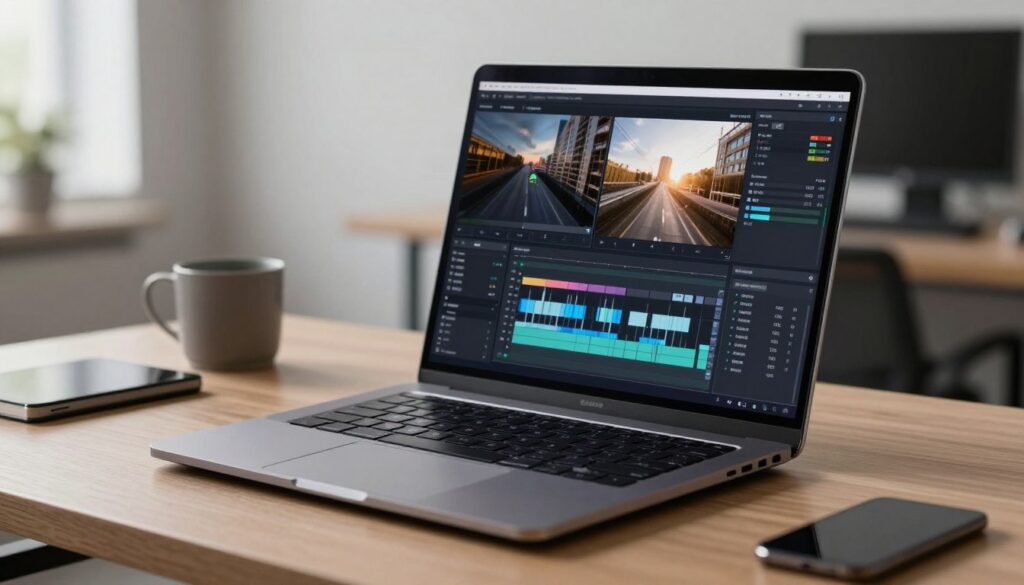
Specialized tasks like data modeling and media production demand the immense power found only in a high-performance workstation. We recognize that certain professionals need a workstation that delivers desktop-level performance in a portable laptop form. These machines act as robust desktop replacements capable of handling resource-intensive business database management.
Choosing the right hardware ensures your most technical team members stay productive without hardware limitations. While these units are heavier than standard ultrabooks, their ability to process complex workloads is unmatched. We often suggest these for roles where time-sensitive rendering or large-scale simulations are daily requirements.
Specifications for Video Editing
A high-performance workstation is non-negotiable for creative professionals in your business. Video editing requires exceptional processing power to handle 4K footage rendering without frustrating lag. We recommend using Intel Core i7/i9 or AMD Ryzen 7/9 processors for complex editing workflows.
For these video professionals, we suggest a minimum of 16GB RAM, though 32GB is ideal for smooth timeline scrubbing. Dedicated NVIDIA or AMD graphics cards with at least 4GB VRAM are essential for high-end video editing. We also suggest a workstation with at least a Full HD display for video work.
High-resolution 4K screens provide even better accuracy for professional color grading tasks. Fast 512GB to 1TB SSD storage is also vital to manage large files quickly. These features ensure that your creative team can meet tight deadlines without technical bottlenecks.
Requirements for Data Science and Development
Data scientists and software developers need a workstation that can process massive datasets or run multiple virtual machines. This type of high-performance workstation should prioritize RAM capacity, specifically 16-32GB, to handle memory-intensive compiling. We have found that these laptop models benefit from advanced cooling systems to manage heat.
For specialized 3D modeling or CAD workstation needs, professional-grade graphics like NVIDIA Quadro offer the best reliability. Keep in mind that these workstation models are a significant investment, often ranging from ₹80,000 to over ₹2,00,000 in India. While this laptop provides desktop power, battery life is often shorter due to the hungry components.
We suggest these laptop choices only for employees whose tasks genuinely demand peak performance. Investing in a top-tier workstation ensures your engineers can compile code and run containers simultaneously. This keeps your technical operations running smoothly and efficiently.
Connectivity Ports and Wireless Standards
Beyond the internal hardware, the array of physical and wireless links determines how easily your team can collaborate. We know that poor connectivity can break productivity, especially when employees need to link to projectors or external monitors.
Choosing a machine with the right mix of features ensures that your workflow remains uninterrupted throughout the day. Let’s look at why these physical connections are a vital part of your office setup.
Essential Ports: USB, HDMI, and Ethernet
We still find that USB-A ports are essential for many business environments. Most legacy devices like standard mice, keyboards, and older hard drives still rely on this rectangular plug.
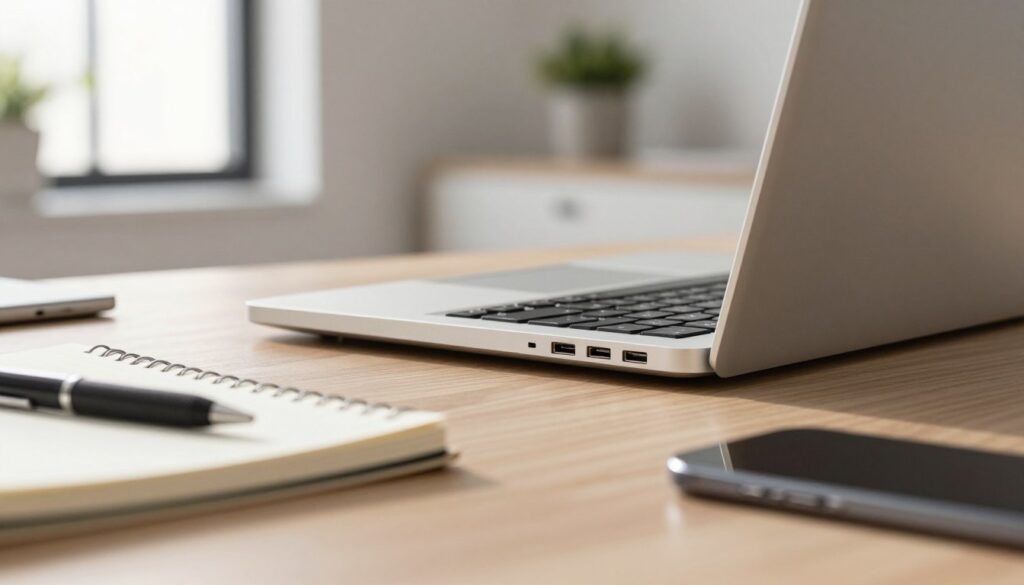
HDMI remains the gold standard for connecting to projectors during presentations in Indian boardrooms. Having a dedicated HDMI port means you won’t need to hunt for a dongle before a big meeting.
For many offices, a stable wired network is much better than crowded Wi-Fi. We recommend a laptop with an Ethernet jack if your team handles large file transfers or requires constant uptime.
Modern Connectivity: Thunderbolt and USB-C
Modern USB-C and Thunderbolt ports offer incredible versatility for the modern business. These options allow for data transfer, display output, and even charging through a single reversible cable.
Wireless standards are just as important as physical plugs. We suggest looking for Wi-Fi 6, which provides better performance in crowded office spaces where many devices compete for signal.
Bluetooth 5.0 or newer is another must-have for a clean desk. It allows us to connect wireless headsets and peripherals without adding more cable clutter to the workspace.
While slim designs are popular, they often sacrifice ports for aesthetics. We suggest ensuring your laptop has enough built-in connectivity to avoid the “dongle life” that slows down your team.
| Feature | Common Use | Expert Recommendation |
|---|---|---|
| USB Type-A | Connecting mouse, keyboard, and flash drives | At least 2 ports |
| HDMI | Connecting to projectors and TV screens | Full-size HDMI 2.0 |
| USB-C / Thunderbolt | High-speed data and docking stations | Support for Power Delivery |
| Ethernet (RJ-45) | Secure and fast wired internet | Essential for data-heavy roles |
| Wi-Fi 6 | Wireless networking in busy offices | Minimum standard for 2024 |
Security Features for Business Data Protection
Protecting your company’s digital assets requires more than just a strong password; it demands integrated hardware safeguards. We know that business security is a top priority for teams in India, especially with the Digital Personal Data Protection Act now in play.
Storing sensitive data on a portable laptop increases the risk of loss or theft. We recommend choosing models with built-in features that protect customer information and financial details from the moment you turn them on.
We have seen how devastating a data breach can be for a growing firm. Therefore, we always suggest looking for hardware that offers multiple layers of defense to keep your work safe.
Biometric Security: Fingerprint and Facial Recognition
Passwords are often easy to guess or steal, which is why we prefer biometric authentication. These tools provide a use case where speed meets high-level protection for your daily workflow.
A strong fingerprint reader allows your team to log in with a single touch. It is far more secure than a pin code and prevents unauthorized access if a person leaves their workstation unattended.
Facial recognition through tools like Windows Hello offers an even smoother experience. It authenticates the user immediately, so they can start their business day without fumbling for credentials.
Physical protection is just as important as digital code. We suggest choosing models with webcam privacy shutters to block visual spying and Kensington lock slots to prevent physical theft in public spaces.
Encryption and Secure Boot Options
Hardware-based encryption is a must-have for modern devices that handle proprietary company secrets. We look for a TPM 2.0 chip, which stores encryption keys safely away from the main software layer.
Self-encrypting drives protect your files even if someone removes the physical storage from the laptop. This ensures that your private files remain unreadable to anyone without the correct authorization.
| Security Tool | Main Benefit | Threat Prevented |
|---|---|---|
| TPM 2.0 Chip | Hardware Key Storage | Software Tampering |
| Secure Boot | Verifies OS Integrity | Rootkits and Malware |
| Remote Wipe | Clears Data Remotely | Physical Device Theft |
Secure Boot features prevent malicious software from loading when you start your computer. This protects the system from sophisticated attacks that try to hide deep within the operating system.
“Security is not a product, but a process that starts with the right hardware choices.”
We also encourage using tracking software that can locate a laptop if it goes missing. Many business models now include these tools to help you recover your hardware or wipe the drive remotely for peace of mind.
Build Quality, Portability, and Durability
Our experience shows that a laptop physical design and build materials often determine how long it actually stays in service. We understand that machines in a business setting face demanding conditions like daily transport and constant use. These factors make overall build quality absolutely essential for your long-term success.
Weight Considerations for Mobile Employees
Mobile employees must carefully consider how much they carry every single day. We suggest that a laptop weighing less than 1.5kg provides the best balance of power and portability. These ultraportable models allow your team to move between meetings or commute across cities like Mumbai and Bangalore without fatigue.
Machines exceeding 2kg often feel like a heavy burden during a long workday. We have found that even a few hundred grams make a massive difference when you are constantly on the move. Choosing a lighter model ensures that your staff stays comfortable and productive throughout their travels.
Portability does not have to mean sacrificing performance or screen size. Modern engineering allows manufacturers to pack high-end components into very slim profiles. We prioritize these lightweight options for any role that requires frequent travel or flexible work-from-home arrangements.
Build Materials and Durability Testing
We recommend choosing aluminum or magnesium alloy chassis because they offer better sturdiness than cheap plastic construction. A high-quality design includes reinforced metal hinges that open and close smoothly without any wobbling. Metal builds also provide superior heat dissipation, which helps the internal components last much longer.
Many HP models and other top brands undergo MIL-STD-810G military-grade testing to ensure they survive drops and vibrations. We also look for a spill-resistant keyboard to protect the hardware against accidental coffee splashes in a busy office. A durable keyboard with good tactile feedback also prevents hand strain during long typing sessions.
Budget models often use thinner materials that result in shorter lifespans and more frequent repairs. We believe investing in a premium design pays off by reducing the need for replacements. High-end materials ensure the device feels professional and maintains its quality over years of heavy use.
| Feature | Consumer Model | Business Model |
|---|---|---|
| Chassis Material | Mostly Plastic | Aluminum / Alloy |
| Hinge Construction | Standard Plastic | Reinforced Metal |
| Durability Rating | Basic Usage | MIL-STD-810G Tested |
| Keyboard Type | Standard | Spill-Resistant |
Warranty and Support Services
Reliability ensures your team stays active without frequent interruptions or technical delays. Most top-tier models from reputable brands should survive for at least five years with proper care. We always look for a 3-year warranty that offers on-site service to minimize downtime for your business.
Business-class support typically includes dedicated phone lines and faster response times than standard consumer plans. We recommend checking the manufacturer’s service network in India to ensure authorized centers exist in your specific city. Having access to next-business-day repairs keeps your operations running smoothly even when hardware issues arise.
Manufacturers who are confident in their hardware design will often provide extended coverage as a standard feature. We suggest prioritizing these plans to avoid unexpected costs for your business later on. A strong support system is just as important as the internal specifications of the machine itself.
Why Renting Laptops from RentLappy Makes Business Sense

We understand that purchasing every device isn’t always the best move, which is why we’ve teamed up with RentLappy for specialized rental options. We have partnered with RentLappy, a trusted provider of laptops and IT equipment in New Delhi, to offer our readers flexible alternatives. Renting business laptops from RentLappy makes tremendous financial sense for startups and project-based teams. This strategy allows your business to preserve precious capital for its most vital core activities.
For organizations with limited budgets, rental agreements offer incredible freedom without the burden of a heavy upfront investment. Instead of spending between ₹30,000 and ₹80,000 for each new business laptops, we can help you access premium devices through affordable plans. This approach dramatically reduces your initial capital requirements and keeps your cash flow healthy.
Cost Benefits of Laptop Rentals vs Purchase
Buying a high-performance business laptop often requires a significant financial commitment that strains your resources. Many businesses find that the high cost of acquisition prevents them from hiring more staff or expanding their operations. When you choose to rent business laptops, you turn a large capital expense into a small, predictable monthly payment.
There are also significant tax advantages to consider when you decide to rent a business laptop for your office. Rental payments are typically fully deductible business expenses, unlike purchased assets that require complex depreciation over several years. We appreciate that RentLappy’s inventory includes top-tier laptops from brands like HP, Dell, and Lenovo for maximum reliability.
By choosing this path, you avoid the long-term costs of maintenance and the headache of expiring warranties. Every business laptops you rent comes with the assurance of quality, allowing your team to focus on their work. This model ensures you always have access to the latest laptops without the financial risk of ownership.
Flexible Rental Plans for Every Business Size
Whether you need a single laptop for a new hire or bulk business laptops for an entire department, we find their scalability impressive. RentLappy specializes in both short-term and long-term rentals to suit the specific needs of your growing business. Their plans accommodate everything from week-long corporate events to multi-year contracts for permanent staff members.
For businesses unsure about their long-term technology needs, renting provides the flexibility to upgrade as requirements evolve. You can easily swap an older business laptop for a newer model without being stuck with outdated equipment. This ensures your employees always have the business laptops they need to handle modern software and heavy workloads.
We love that RentLappy’s solutions adapt to businesses of every size, from tiny startups to large educational institutions. If your team expands suddenly, you can quickly add more business laptops to your fleet with minimal paperwork. This agility is essential for staying competitive in today’s fast-paced Indian market.
Nationwide Delivery and Support Network
We are consistently impressed by RentLappy’s nationwide delivery network, which ensures fast deployment across all of India. Whether your office is located in a major metro city or a smaller town, they deliver your business laptops quickly. This reliable logistics network prevents any downtime for your business when you need hardware the most.
Their customer-friendly approach includes exceptional support services to address any technical issues with a business laptop. If a laptop malfunctions, their team works tirelessly to provide a replacement or a fix to minimize disruption. You can trust that your business operations will remain smooth and efficient at all times.
Contact RentLappy at D-97, Okhla Phase 1, New Delhi, or call them at +91-60003 70013 to discuss your business laptops requirements. You can also email their experts at sales@rentlappy.com to find the perfect business laptop plan for your team. Choosing a rental laptop from a reliable partner like RentLappy is a strong step toward smarter IT management.
Conclusion
Choosing the right tech for your office is about more than just picking a brand; it is about empowering your team. We have covered everything you need to select the best laptop specifications for your office. From processors and RAM to display quality and battery life, each small detail matters for a successful business.
The right laptops depend entirely on how your employees actually use their equipment. By assessing your specific needs and work profiles, you can balance performance with your company budget. Every high-quality laptop should support the daily tasks of its user effectively and reliably.
We have shown that mainstream laptops serve most roles perfectly. Budget options work well for basic roles, while high-performance workstations suit specialized professionals. In India, budget laptops often cost under ₹30,000, while mainstream units usually range from ₹21,000 to ₹45,000.
Professional work requires reliability and strong security features. True business hardware offers better build quality and biometric protection than standard consumer models. These features ensure long-term stability and protect your vital data from outside threats or hardware failure.
Remember, underpowered laptops hurt productivity, while overpowered ones waste your financial resources. We encourage you to think beyond just buying your next laptop. Rental options from RentLappy offer flexibility and lower upfront costs for a growing business.
This approach allows you to scale quickly while providing great battery life and speed for the business. Your team deserves a laptop that empowers their professional life. We hope this guide helps you choose the best tools for your future work success.