
In simple terms, these devices run some artificial intelligence tasks right on the machine, rather than sending every request to the cloud. A dedicated neural processing unit, or NPU, handles certain tasks and adds local capabilities to familiar pcs.
That hardware can support useful features, with some data staying closer to your device. Microsoft’s Copilot+ category sets a clear benchmark: at least 40 TOPS of NPU performance, 16 GB of RAM, 256 GB of storage, and the latest Windows 11 version. Still, you don’t need a Copilot+ model to use Microsoft 365 Copilot. A supported license and internet connection can be enough.
This guide explores privacy, productivity, and how these tools may shape study and work in India. RentLappy helps make technology more accessible, affordable, and flexible for startups, corporates, freelancers, and educational institutions. The goal: practical choices that fit real needs.
Key Takeaways
- NPUs handle select tasks on the device.
- Copilot+ has specific hardware requirements.
- Microsoft 365 Copilot does not require Copilot+ hardware.
- Privacy and everyday needs matter when choosing a computer.
- RentLappy offers flexible access for teams, learners, and businesses.
What Is an AI PC?
This kind of computer pairs everyday computing hardware with a dedicated chip for select artificial intelligence features. The neural processing unit (NPU) can handle supported tasks close to where data lives. That can help pcs run some tools without sending each request to a remote service.
How Local Chips Run Intelligent Tasks
Through neural processing, NPUs can speed up natural language processing, image recognition, and predictive analytics. Machine learning models can use this processing unit, though app support matters. Check the software and hardware fit before you expect those features to work.
Local Processing Compared With Cloud Services
On-device work can cut delays and bandwidth use when supported tools run nearby. It may also keep some data on the machine, which can support privacy. Still, security depends on device settings and safe software practices. Cloud services may suit larger models or features that need online access.
- Local use: faster response for supported tasks.
- Cloud use: online access to some larger tools.
- Buyer tip: check app support before choosing.
| Factor | On-device | Cloud-based |
|---|---|---|
| Response | Low delay for supported features | May depend on network speed |
| Data path | Some work stays on the computer | Requests travel to online servers |
How CPUs, GPUs, and NPUs Work Together
A balanced setup assigns each workload to the component built for it. This split can improve efficiency, save power, and keep everyday computing responsive on pcs.
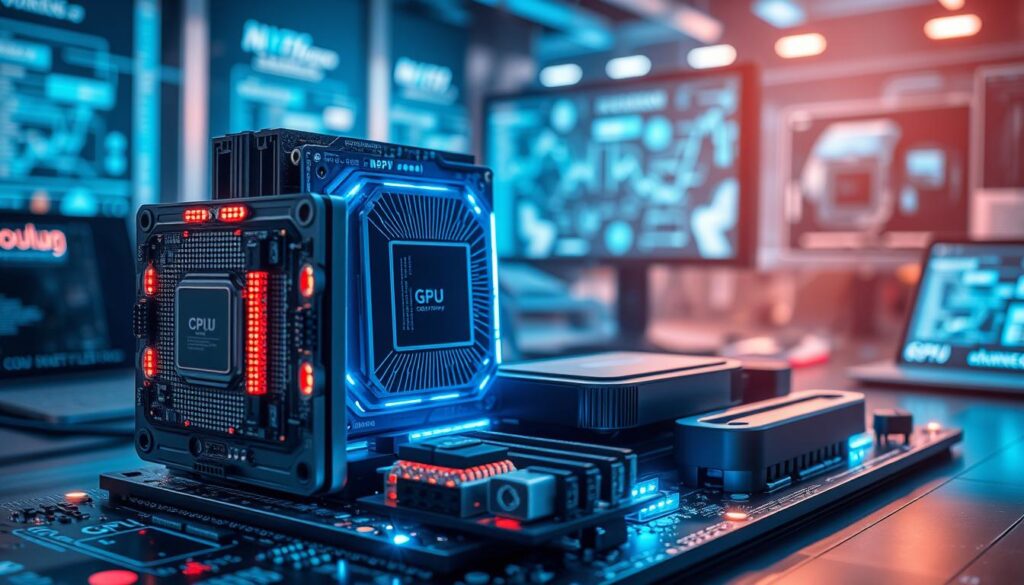
The CPU Handles Everyday Computing Tasks
The cpu manages routine work, such as opening apps, browsing the web, and running standard software. It directs core tasks and helps keep daily use smooth.
The GPU Powers Graphics and Visual Workloads
GPUs handle graphics-heavy apps, animation, and video playback. Their parallel design supports faster processing for visual work, while freeing other processors for different jobs.
The NPU Accelerates Neural Processing and Machine Learning
A neural processing unit adds a third processing unit for local AI tasks. It can support live captions, image generation, and content summarization when apps offer compatible features.
Intel Core Ultra, Qualcomm Snapdragon X Elite, and AMD Ryzen AI platforms offer different hardware and performance. Copilot+ sets a 40 TOPS NPU benchmark, giving buyers a clear comparison point. Check each model’s specifications; not all processors deliver the same processing power.
| Component | Best suited for | Example workload |
|---|---|---|
| CPU | Everyday tasks | Launching apps |
| GPU | Visual workloads | Video playback |
| NPU | Neural processing | Live captions |
AI PC Features to Know Before You Choose One
Local features can handle some everyday tasks without sending each request online. For buyers in India, app support matters as much as hardware. Check which tools suit your work, study, and productivity needs.
Local Tools for Translation, Transcription, and Image Creation
Copilot+ features such as Live Captions can transcribe video and support translation across language needs. Cocreator can turn prompts into image drafts, while Recall helps find past activity. These features rely on compatible software and models. Before use, review security settings for sensitive data. Some apps use machine learning through the NPU, while others rely on the CPU or cloud processing.
Copilot+ PC Requirements, Including NPU Performance and Memory
Copilot+ pcs need at least 40 TOPS of NPU performance, 16 GB RAM, 256 GB storage, and the latest Windows 11 version. The Intel Core Ultra family supports AI workloads, though each processor, device setup, and app can vary. Fast SSD storage and 16 GB RAM help when multiple apps run at once; check battery power and processing power, too. Microsoft 365 Copilot works in Word, Excel, Outlook, and Teams with a supported license and internet connection.
- Confirm essential apps use NPU acceleration.
- Compare processors and hardware across pcs.
- Choose pcs with features matched to your needs.
Benefits of AI PCs for Productivity, Privacy, and Battery Life
For teams and learners across India, local features can help during commutes or internet outages. Supported tools may keep working without a steady connection, while reducing delays and cloud traffic.
Run Supported Tasks With Less Network Reliance
Faster processing can make image creation and AI-assisted apps feel more responsive, though results depend on the software, workload, and hardware. During video calls, NPU-powered background blur, noise reduction, and eye-contact correction can free the CPU for other tasks. This may support better performance and productivity on busy workdays.
Keep More Sensitive Data on Your Device
On-device processing can keep some data closer to your computer and may support privacy. Local use does not replace strong security habits, such as updates and screen locks. Specialized chips may also improve efficiency and battery life, but power use varies by device, apps, and workload. Check each feature before relying on it.
“Local convenience helps, but good security still matters.”
- Less reliance on constant internet access.
- Potentially lower latency and bandwidth use.
- Battery life varies across pcs and tasks.
Do You Actually Need an AI PC for Work or Study in India?
Choose by daily needs, not a new label. IT Masters and Charles Sturt University offer courses in cybersecurity, data, cloud, and software engineering. Local tools may suit learners and remote teams facing patchy connections.

When AI Hardware Can Help Students and Remote Workers
Students can use real-time transcription, translation, and summaries for lectures. Remote workers may use coding, research analysis, and project tracking. Local processing can help with these tasks when cloud access falters. Video calls or video editing may gain better performance. AI PCs still need supported models and a capable processor.
“Buy for your daily needs, not a feature list.”
When a Traditional Laptop May Still Meet Your Needs
Traditional pcs can handle email, documents, browsing, and online classes when everyday features do not use NPU tools. Intel Core processors may suit these needs.
Check Whether Your Apps and Workflows Use NPU Features
Check the hardware/software fit, security needs, and app support. Microsoft Copilot and other machine learning tools vary by device. For several apps, choose at least 16 GB RAM and fast SSD storage. Copilot+ requires 16 GB RAM and 256 GB storage at minimum.
- Compare supported features, memory, and storage.
- Choose pcs for your real work and learning needs.
Choosing or Renting an AI PC in India
Before purchasing laptops, Indian startups, corporates, freelancers, and educational institutions can rent pcs to test needs before committing to a purchase. Renting helps teams compare hardware, software, and real-world performance while keeping costs flexible.
Explore Flexible Laptop Rentals for Work, Study, or Business Through RentLappy
RentLappy serves customers across India, with 12+ years in the IT and electronics sector. More than 5,000 customers across metro cities and tier-2 and tier-3 towns use its rentals. Options include laptops, desktops, servers, and networking equipment, for needs from startup operations to corporate events, employee training, and remote work.
“Rent for the project; buy when the need is clear.”
Choose specs that fit each task: Intel Core systems may suit office apps, while Microsoft Copilot use depends on compatible software and access. Check data needs, battery, storage, and expected battery life before selecting pcs.
Contact RentLappy: D-97, Okhla Phase 1, Okhla Industrial Estate, New Delhi – 110020. Call +91-60003 70013 or email sales@rentlappy.com.
Conclusion
A modern laptop can add a neural processing unit (NPU) to its CPU-and-GPU setup, allowing selected artificial intelligence tasks to run on the device. This local processing may reduce cloud reliance and offer more control over data handling, though privacy still depends on settings and safe use.
Copilot+ models meet a clear baseline: 40 TOPS of NPU performance, 16 GB of RAM, and 256 GB of storage. Yet the label alone should not guide your choice. Check app support, daily workflows, and the tools you use for work or study. Those details matter more than a badge on pcs.
For buyers in India, compare software needs, budget, and upgrade plans before deciding. Local computing can suit select workloads, while a standard laptop may cover simpler needs. When flexible access makes more sense than buying, consider RentLappy. Testing equipment can help you choose with confidence.